Table of Contents
TABLE OF CONTENTS
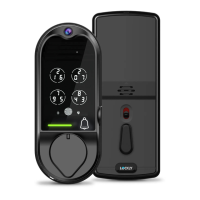
2.1 Product Overview - Outside
2.2 Product Overview - Inside
2.3 Understanding Your New Lock
2.4 Keypad Display Switch
2.5 Reset Button
2.6 Rebooting Your Lock
2.7 Low Battery
Section 1 - Product Highlights
Section 2 - Product Overview
Section 3 - Using Your Smart Lock
3.1 Configuring Access
3.2 Adding a Fingerprint
3.3 Fingerprint Scanning Directions
3.4 Fingerprint Scanning Tips & Troubleshoot
Section 4 - Locking and Unlocking
1.1 Product Features
4.2 Locking / Unlocking using Fingerprints
4.3 Locking / Unlocking using App
4.4 Locking / Unlocking using Physical Key
4.5 Locking and Unlocking with Voice
4.6 Safe Mode
Section 5- Advanced Features
1
2
3
4
4
5
5
6
7
13
14
15
16
16
17
19
23
24
Section 6 - Re-keying
26
25
27
4.1 Locking / Unlocking using Access Codes
24
For additional support,
visit http://LOCKLY.com/help or email
help@LOCKLY.com
5.1 Video Doorbell
5.2 Offline Access Code (OAC)
5.3 Sub-Admin Access
2.8 Changing The Battery
8
9
10
12
Section 7 - Important Notes
7.1 Important Notes
Section 8 - Cleaning
8.1 Cleaning
Section 9 - Safety Precautions
9.1 Safety Precautions
6.1 Re-keying


 To Next Page