First Startup Zenit
+
12
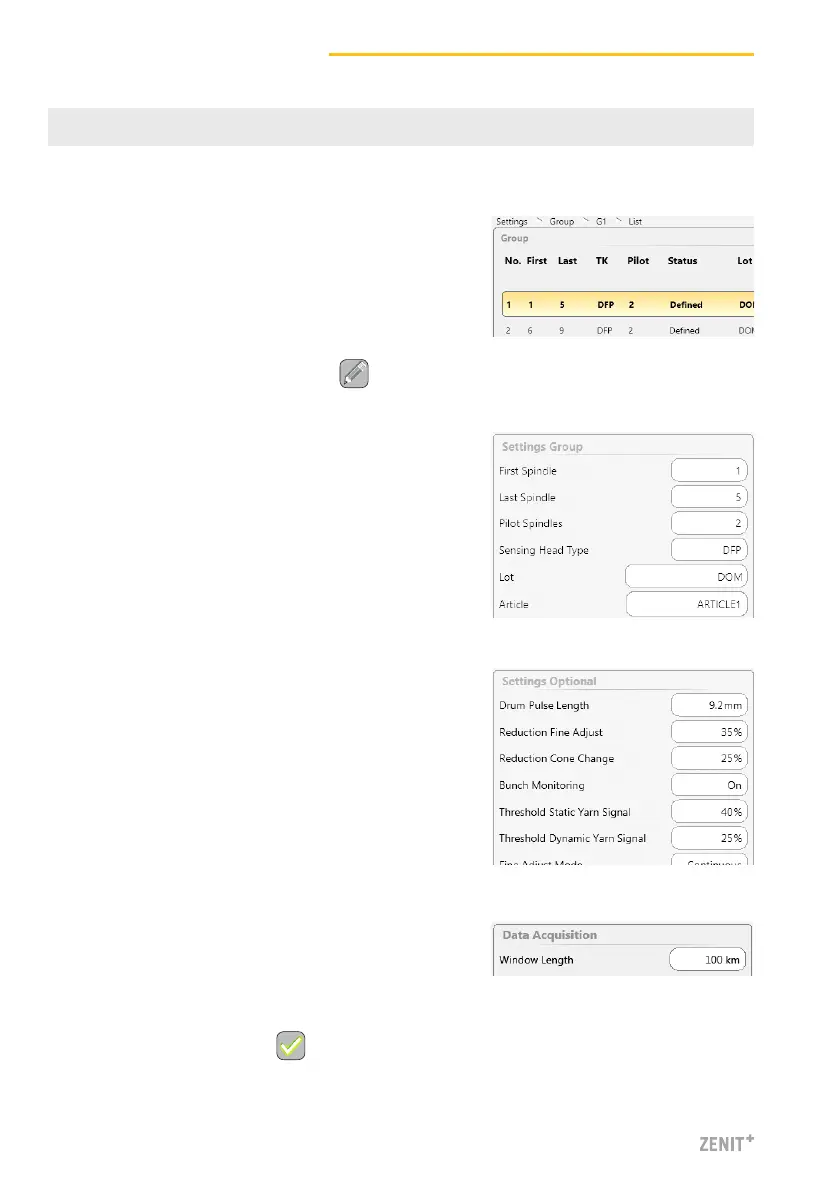
9 Define a Group
SETTINGS > Group (List)
1. Select group no. 1.
2. Double-clicking group no. 1 in the list opens the
overview of the respective group settings.
3. Activate the edit mode by tapping .
> Settings Group
4. First Spindle / Last Spindle: Enter spindle range (first
and last spindle of the group)
5. Article: Tap entry field and select a predefined article
from article list.
> Settings Optional
6. Use default settings.
> Data Acquisition
7. Use default settings.
8. Save group settings with .



 To Next Page