Loewe bild 5 oled / bild 4 oled
User handbook
37
TV
Electronic Programme Guide
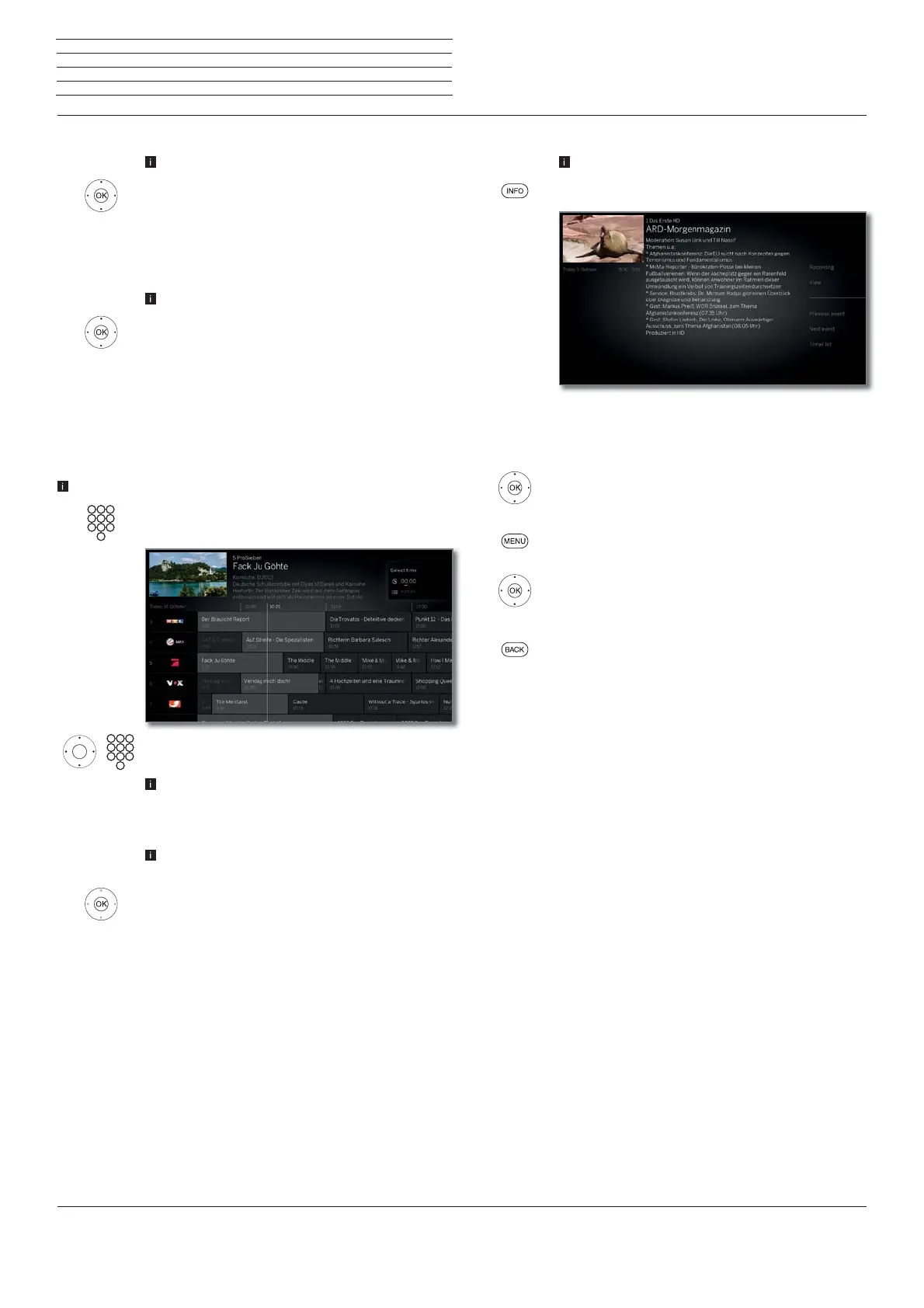
Calling additional information about the programmes
EPG called.
INFO: Call up detailed information.
If there is more information on the selected programme,
it will be indicated here.
You will find further options for the displayed station
in the function list menu.
Change to function list.
or:
MENU: change between detailed information and
function list.
select function.
OK call.
or:
BACK: Leave detailed information and go back to EPG.
Menu items in the EPG function list (detailed information):
Recording Schedule the recording of the selected broadcast
for a time.
View/
Memorise
Watch or mark selected TV broadcast.
Previous
event
Information on the previous broadcast
Next Event
Information on the next broadcast
Timer list
Call up timer list.
Switching to the current broadcast
EPG called.
Mark current broadcast.
OK press briefly: switch to current broadcast.
The electronic programme guide will be closed.
Programme preview
EPG called.
Mark desired station in the station list.
OK press long: show preview.
In the top left window, the current programme of
the selected station is displayed now.
When leaving EPG the station is displayed in the
preview thumbnail in the full picture.
Jumping to time or station
The marking must be in the station list.
Press the numerical key (0 through 9). The window
Select Time/Station is shown.
Select time or station,
Enter numbers.
When entering a time, you always jump to the next
occurrence of the entered time (24-hour window).
If the time is already passed today, the time entered
will appear on the following day.
Always enter five digits for station presets, e.g.
00001 for preset 1 or 00134 for preset 134.
OK Activate jump.



 To Next Page