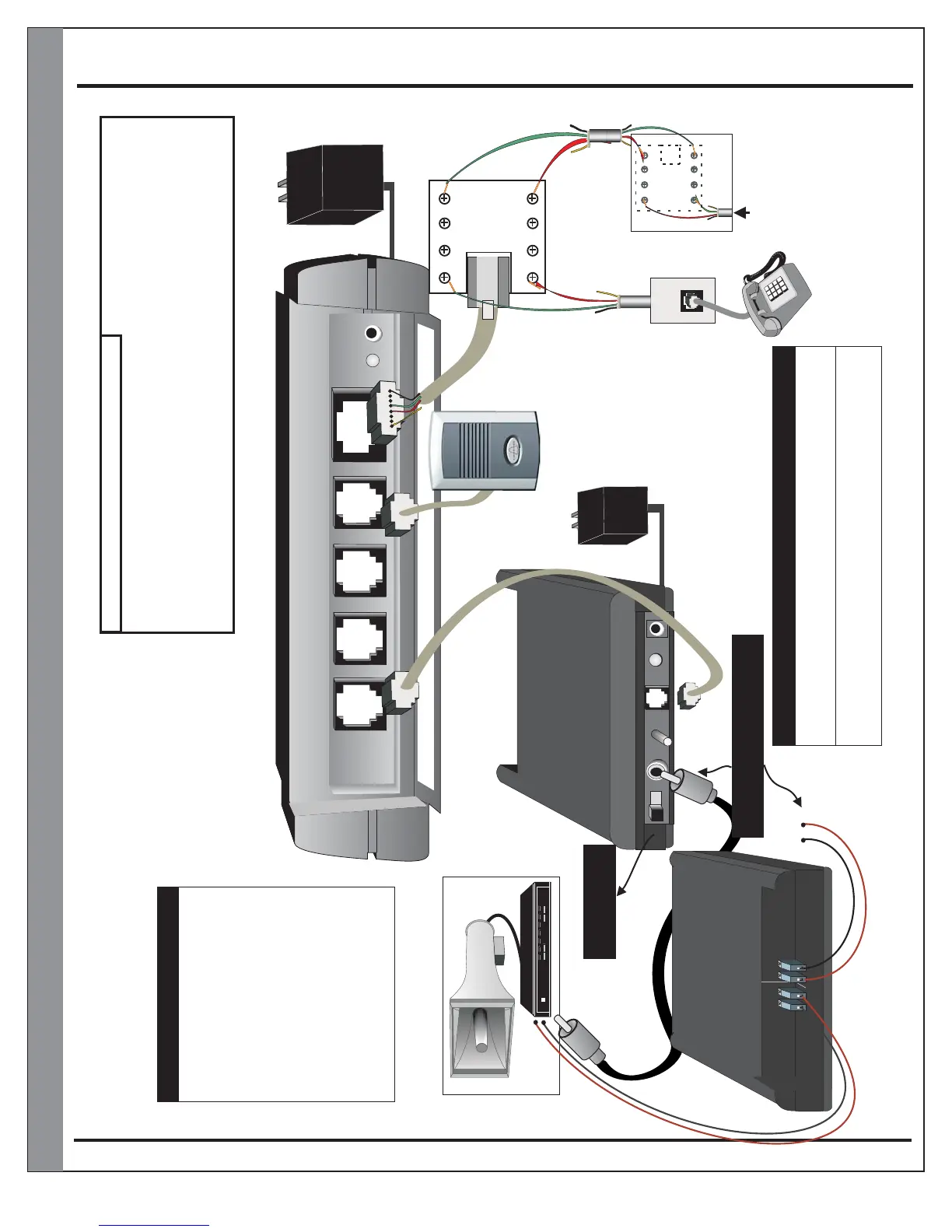
M203HIFI Installation Diagram
Page 12
M203HIFI
OUT
OUT
IN
IN
RJ31X
(CA38A)
Data Jack
RJ45 Modular Wire
(Supplied with TeleDoorBell)
To
Phone
Jacks
RJ11 Modular Wire
(Supplied with PG-100)
16V AC
Output
Spk/Rly#1
Spk/Rly#2
Spk/Rly#3
Hi-Fi Outputs
Tele Line In & Out
Power Plug
A203HIFI
OUT
OUT
IN
IN
RJ31X
(CA38A)
Alarm Jack
Alarm jack
connection
only if alarm
monitored
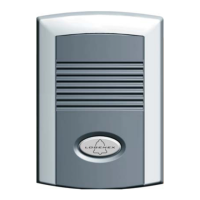
Door speaker
(Included with TeleDoorBell)
Amplifier and speaker
paging system
(Not Included)
Paging Operation
- Pick up hand set
- Press
- TeleDoorBell will
activate muting and
send page announcment
tones.
To PAGING IN of amplifier system
Audio Out
Audio
OUT
12Volt/
Contact Closure
C.C. / 12V
Volume
Control
Power
ON
Audio
IN
POWER
M203HIFI
Front View
Rear View
12 Volt Trigger
or
Contact Closure
Audio Out
Connection
+ -
Optional Audio Out on the back and front
*** ONLY USE ONE OUTPUT ONLY ***
*#9
-
+
- +
+ -
- Switch to left for Contact Closure.
- Switch to right for 12Volt trigger.
Muting
Connection
Muting Connection Output
Muting Trigger.
Hi-Fi Feature Operations
On a door station call the TeleDoorBell will mute for 1 minute. If the call is
answered, the system will remain muted for the duration of the call. The
TeleDoorBell will un-mute once communication has ended.
On an incoming call the TeleDoorBell will mute on the first ring. If the call
remains unanswered after the third ring the TeleDoorBell will initiate a
Ring-Over-Page feature for the remainder of the ring cycle.
16V AC
Output
Muting Function ON / OFF
**3
1) Pick up phone handset and enter programming
2) Enter programming password (default is )
3) Enter to toggle muting on/ off
2 Beeps = Muting on
3 Beeps = Muting off
*#0
1111
**3
(factory default)
Grey
Red
Brown
Green
LINE from phone provider,
VOIP Modem or Cable Modem


 To Next Page