42
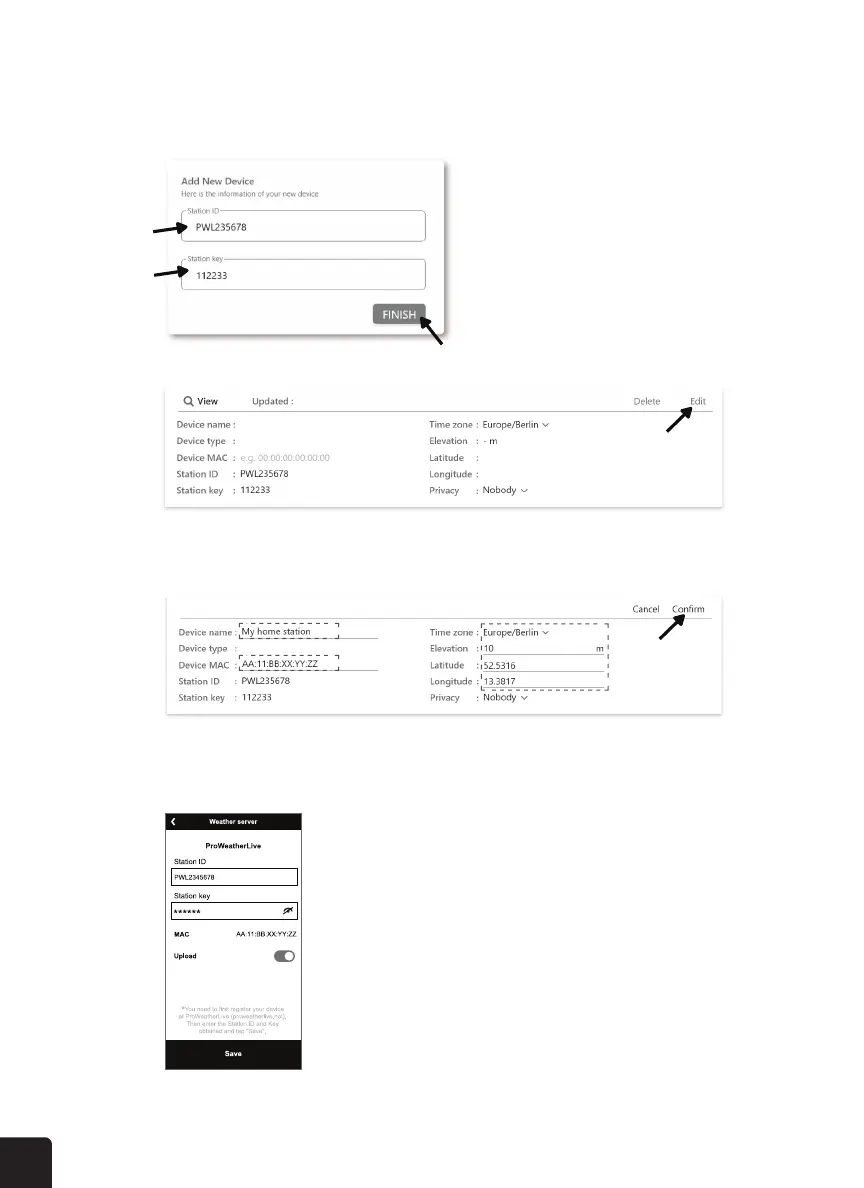
5. Enter in the “Device name”, “Device MAC address”, “Elevation”, “Latitude”, “Longitude”
and select your time zone in the station tab, then click “Conrm” to save the setting.
6. On the “Setup” page, enter the Station ID and key assigned by ProWeatherLive that you
received.
4. Click the “ Edit “ on the top right corner of the station tab.
3. In “Edit Devices” page, click the “+Add” on the top right corner to create a new device, it
will generate the station ID and key instantly, jot down both and then click “FINISH” to
create the station tab.



 To Next Page