USER MANUAL SMARTneo // PAGE 34
11.2 DRIVE BACK
NOTICE
The function Drive back is active only if collision protection (ISP,
sensor unit) is activated.
The table top changes its position automatically after a safety function (through the collision protection ISP
or sensor unit) in order to a dened distance in the opposite direction. This prevents a possible crushing
hazard immediately.
Increased safety risk
In exceptional cases however, there can be a crushing hazard
despite the collision protection since not only the motor control
unit is responsible for the motor shutdown, but the interoperati-
on of mechanical equipment and electronics. Furthermore, the
shutdown sensitivity is inuenced by mechanical equipment,
motor and environmental conditions.
LOGICDATA as control manufacturer can therefore not comple-
tely rule out this residual risk and does not assume and liability.
12 MAINTENANCE
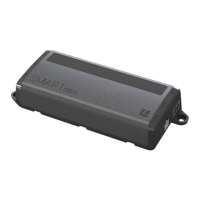
SMARTneo is maintenance-free for the entire service life. If cleaning should be necessary, wipe the housing
of SMARTneo with a soft, dry cloth.
13 FAULT REMOVAL
With technical problems, contact our support at:
Tel.: +43 (0)3462 5198 0
Fax: +43 (0)3462 5198 1030
E-mail: oce.at@logicdata.net
Always provide the product name and the revision status according to the rating plate with any support
request. In case of a defect, replace the SMARTneo as a whole.



 To Next Page