Need help?
Do you have a question about the LOGICDATA SMARTneo Series and is the answer not in the manual?
Copyright information for the user manual.
Details on royalty-free use of text and graphics from Chapter 9.
Information about LOGICDATA's registered trademark.
Explanation of danger, warning, caution, and notice symbols.
General rules and obligations for safe handling of the product.
Identifies potential residual hazards like electric shock and crushing.
Specifies requirements for personnel installing and operating the system.
Outlines LOGICDATA's liability regarding product use and documentation.
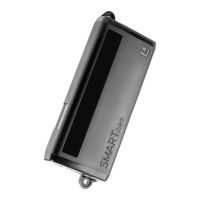
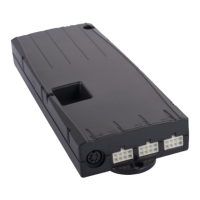
Overview of the SMARTneo motor control and its variants.
Defines the intended use and installation environment for the SMARTneo.
Guide for connecting the motor cables to the control unit.
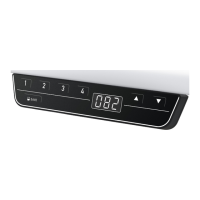
Instructions for connecting the hand control to the unit.
Information on connecting multiple controls for synchronized operation.
Steps for safely connecting the power supply.
Illustrates a typical system configuration and connections.
Details the compulsory reset procedure for initial setup.
How to move the table top up or down using the controls.
Instructions for saving preferred table top positions.
Procedure to recall saved table top positions.
Instructions for performing a manual system reset.
How to adjust the height display on the hand control.
Function to automatically slow down table movement near limits.
Setting up a safety stop at a defined table top position.
Setting limits for table travel range to prevent collisions.
How the system detects connected motors and handles errors.
Automatic detection of connected motors for system configuration.
Automatic detection of specific SLIMdrive motor types.
Function to disable the motor after reaching a defined duty cycle.
Switching the hand control display between metric and imperial units.
Procedure for skilled staff to set the number of motors.
Resetting the control unit to its original factory settings.
Detailed explanation of the ISP collision detection system.
Function to automatically move the table after a safety stop.
Table detailing common problems, their causes, and solutions.
Explanation of error codes displayed on the hand control.
Interpreting acoustic click codes for system status and last shut-off.
Reference to the data sheet for detailed technical specifications.
Guidelines for the environmentally responsible disposal of the device.
 General
| Brand | LOGICDATA |
|---|---|
| Model | SMARTneo Series |
| Category | Controller |
| Language | English |

 To Next Page