USER MANUAL SMARTneo // PAGE 39
13.3 CLICK-CODES
As soon as the SMARTneo is supplied with current, the control uses the installed relays to inform the user
acoustically about the system status as well as the reason for the last shut-o. The following table shows
how the number of clicks correlates with the dierent information.
Number of clicks Status information
2x Normal operation:
The system is working without problems
1x Emergency operation:
The system is in emergency operation mode, the
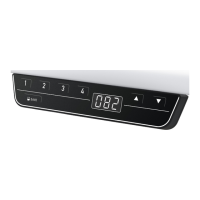
drives cannot be used. Check the LEDs and/or
the error code on the display of the hand control.
3x – 6x Last shut-o incomplete /
forced reset:
Check the error code on the display of the ma-
nual switch. If the control could not complete a
data savings process before e.g. there was a pow-
er failure, it will click 4–5 times during renewed
commissioning and go into the reset mode, but
without displaying the error code 81 in this case.



 To Next Page