15
Full Automatic Programming
You can use this function to time your cooking to end at a certain time. This allows you to programme a cooking
duration time and an end time. The oven will calculate and switch on automatically when required. Ensure the
oven is in manual mode
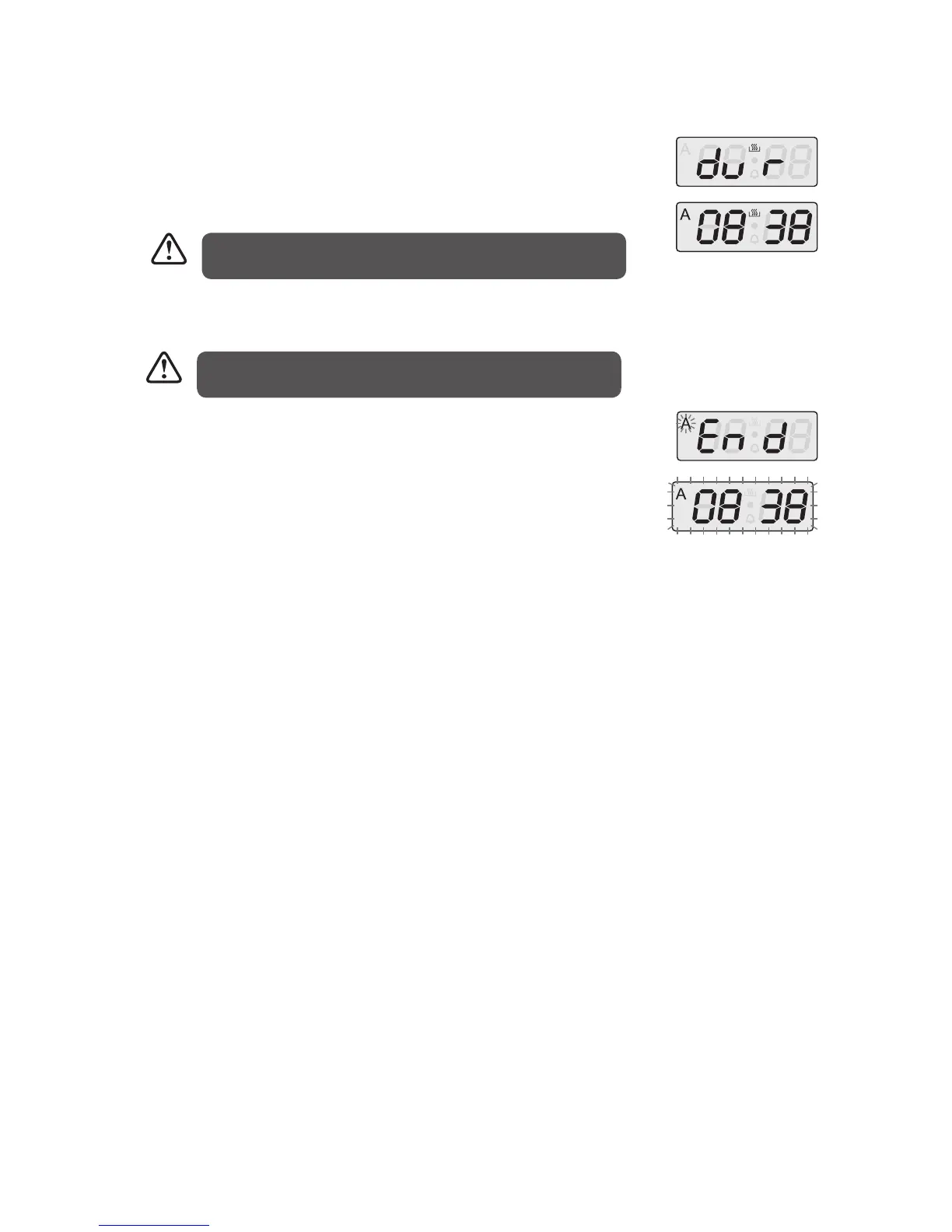
1. Press the MODE button until “dur” displays.
2. Press the + / – buttons to adjust the cooking time. Symbol “A” begin to flash on
the screen.
Resetting The Timer
Resetting the timer will put the unit in Standby mode. Press Mode for 3 seconds or more to enter manual mode.
1. Press MODE and + together.
2. Hold for 2 – 3 seconds.
3. Release the buttons.
Example:
Cooking a casserole for when you want to eat:
1. Assume the casserole will take 2 hours to cook and must be ready by 19:00 (7:00pm).
2. Press the MODE button until “dur” displays. Press the + / – buttons to adjust the cooking time, e.g., 2:00
(2 hours). Symbol “A” will flash on the screen. (Step 1 and Step 2 above).
3. Set your End Time:
a) Set the required cooking mode by turning the Function Control knob.
b) Set to the required temperature by turning the Thermostat Control knob.
c) Press the MODE button until “END” is displayed. The symbol “A” and the day’s time will flash on the
screen.
d) Press the + / – buttons to set the cooking end time, e.g., 19:00 (7:00pm). Press Mode to confirm.
4. The oven will begin cooking your casserole 2 hours before you want it to be ready, i.e., the oven will begin
cooking at 17:00 (5:00pm) so your casserole will be ready by 19:00 (7:00pm) – 2 hours after cooking has
started.
The cooking duration time can be set between the time range of
0 and 10 hours.
3. Set the required cooking mode by turning the Function Control knob.
4. Set to the required temperature by turning the Thermostat Control knob.
5. Press the MODE button until “END” is displayed.
6. Press the + / – buttons to set the cooking end time. The symbol “A” and the day’s
time will begin to flash on the screen. Press Mode to confirm.
7. Once the cooking time is reached, the oven will sound and stop cooking. The
symbol “A” will flash on the screen.
8. After cooking, turn the Thermostat Control knob and the Function Control
knob to the “0” position. Press any button to stop the sound.
9. To operate the appliance again, press MODE for 3 seconds. This will reactivate
the appliance after Automatic Mode has finished.
The cooking end time can be set up to 23.59 hours after the time
obtained or adding the cooking period the day’s time.
* All images are for indication only; please refer to your individual unit for actual item.
LBMULB13_IB_130620_chris.indd 15 20/6/13 11:41 AM


 To Next Page