KEYBOARD MODIFIERS
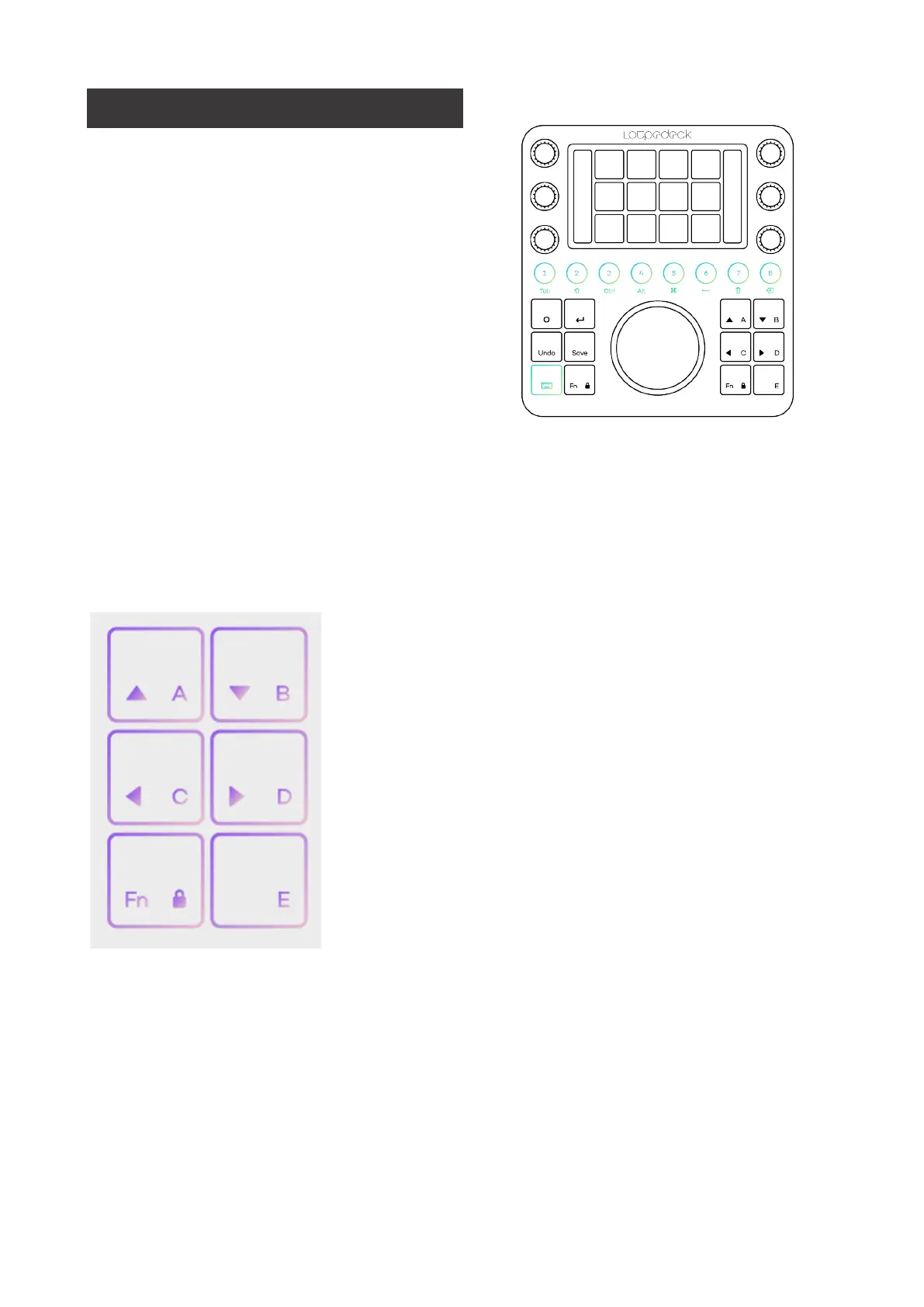
As some editors love their keyboard
modifiers, e.g. to copy a clip, we have
them available on CT, too. Pressing the
keyboard modifier button, makes
keyboard modifiers accessible on the
round buttons. The round buttons are
turning white when keyboard modifiers
are enabled.
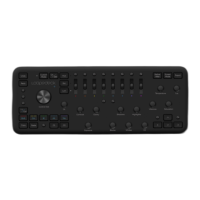
ARROW BUTTONS: A B C D
With ABCD arrow buttons and Fn + ABCD, you can jump to next/previous Frame, go
to to Sequence Start or End, move your selected clip(s) up and down on tracks, and
go to next/previous Edit Point.
A:
Go to Sequence-Clip
B:
Go to Sequence-Clip End
C:
Step Back 1 Frame
D:
Step Forward 1 Frame
Fn + A:
Nudge Clip Selection Up
Fn + B:
Nudge Clip Selection Down
Fn + C:
Go to Previous Edit Point
Fn + D:
Go to Next Edit Point


 To Next Page