WORKSPACE 2: COLOR
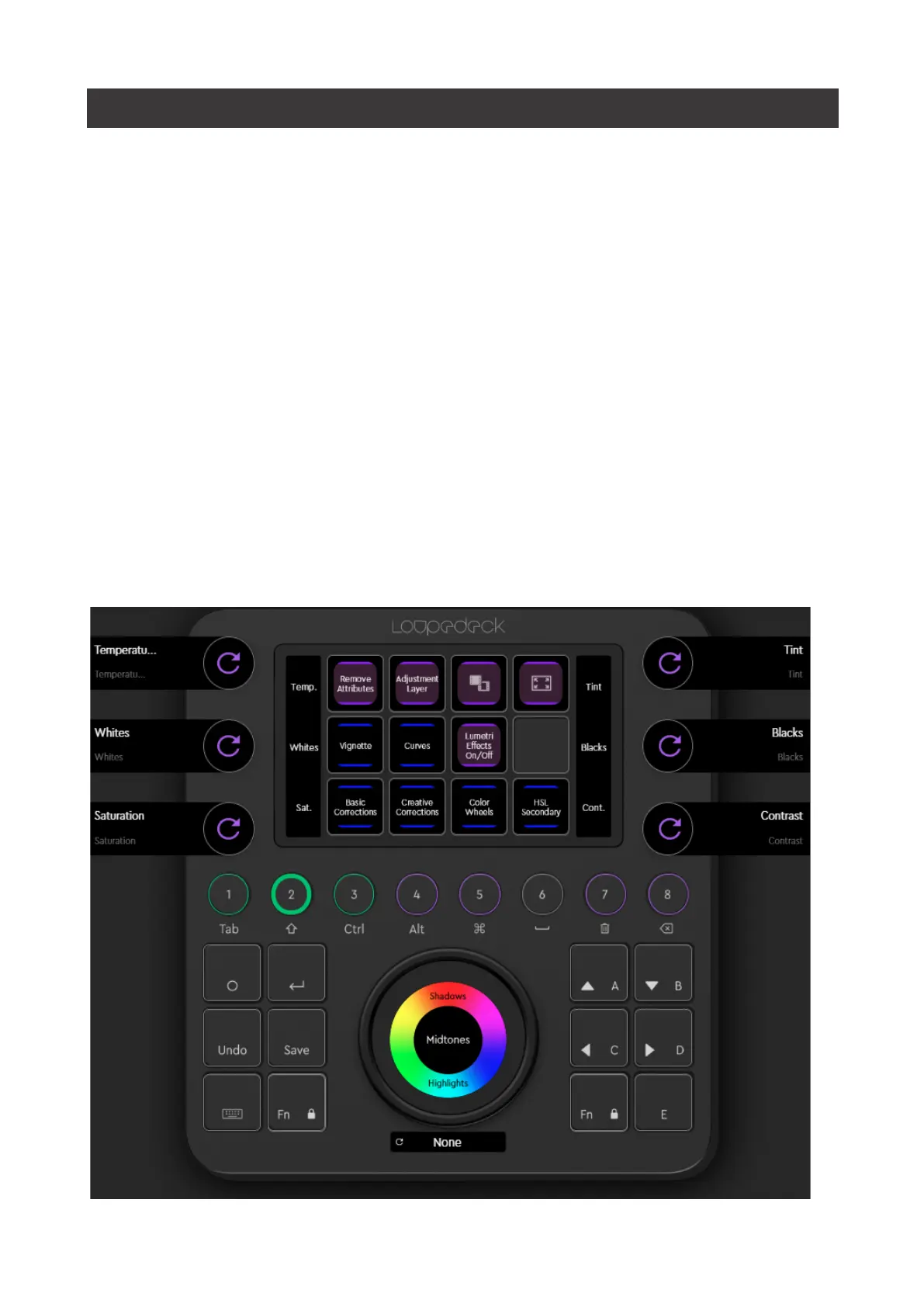
The color workspace is dedicated to the color grading tools that Premiere offers.
Using CT dials and the wheel is intuitive and gives you very precise control.
You can access the wheels, sliders and curves of all six Adobe Premiere Pro Color
Panels. Each Panel has its own blue page link on CT.
• Basic Corrections
• Creative Corrections
• Color Wheels
• HSL Secondary
• Vignette
• Curves
Tip!:
With CT, you can do all color grading (except Curves adjustment) on Full
Screen Mode.
The Basic Corrections Dials and a Color Wheel with “Menu” are opened when you
enter the Color Workspace, so you can start adjusting right away.


 To Next Page