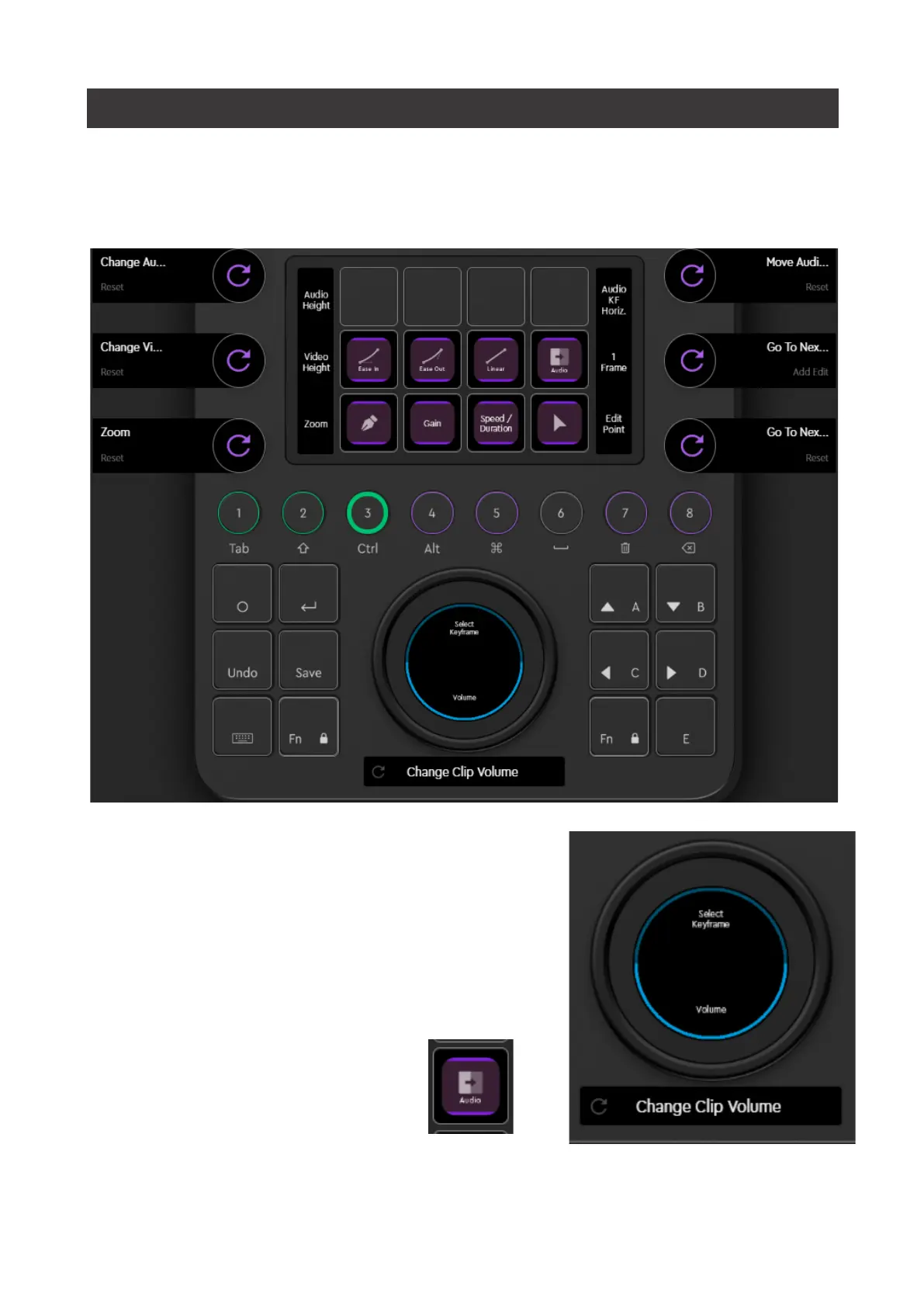
WORKSPACE 3: AUDIO
For any audio work, you probably want to enlarge the height of your audio tracks
first. There is a separate dial for audio and video track height on the left side of the
touch display.
To adjust volume, select the clip(s) you wish to
adjust with your mouse and rotate the Wheel with
Volume action selected. The selected action is
indicated by a stronger blue line around it.
You can add a default transition
with a click on the transition button
on the touch display.


 To Next Page