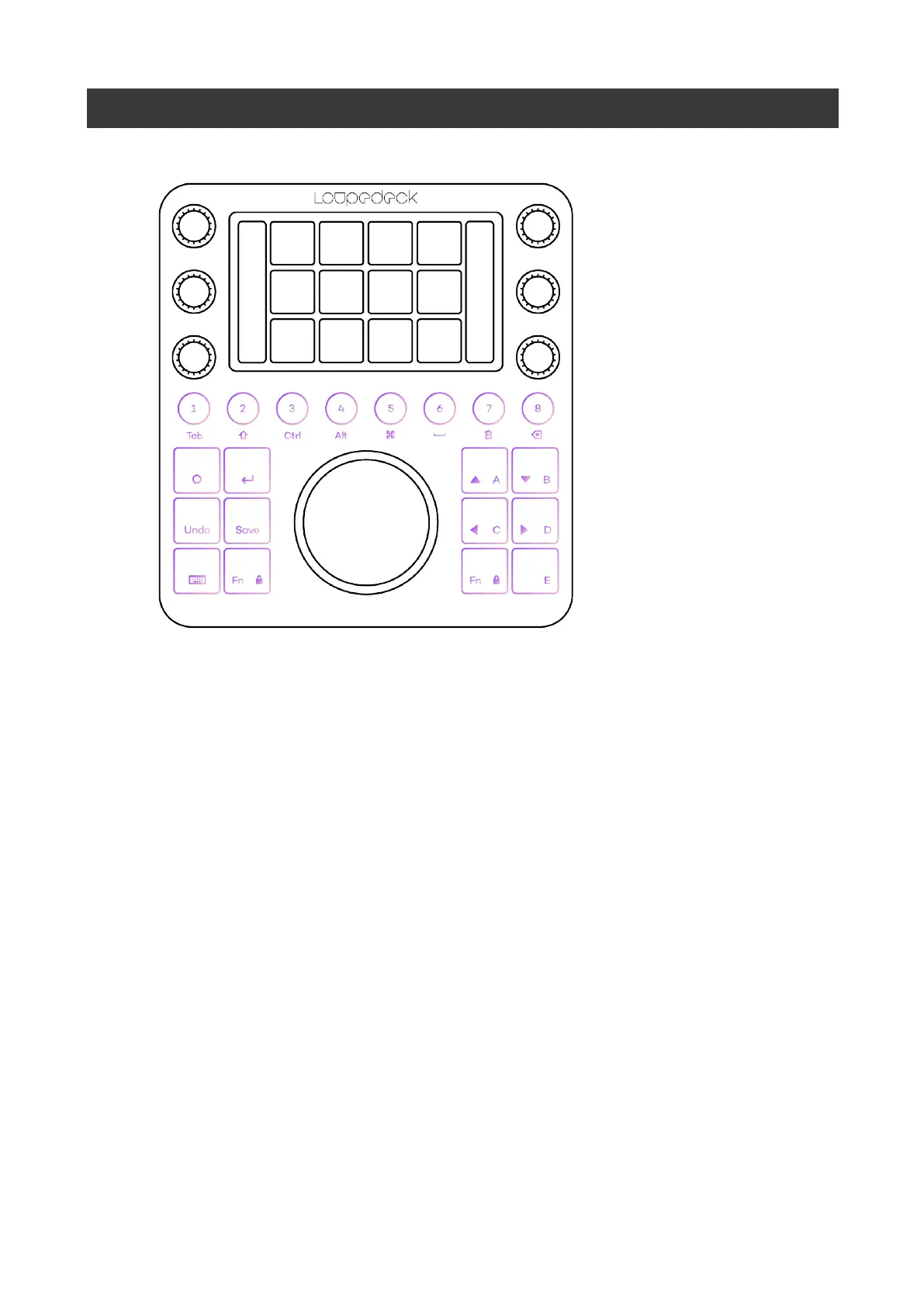
GENERAL ELEMENTS
Round buttons
have a number from 1 to 8, and they change their color according to the
assigned action type (e.g., green indicates workspace, purple indicates an action).
Square buttons,
are dedicated to the most used actions that are needed from time to time
regardless of the activated workspace.
Square buttons
, unlike round buttons, are
prelabeled to indicate a set of actions that are, in fact, common amongst almost every
editing software (e.g., save, enter, navigation arrows).


 To Next Page