i
Table of Contents
Section 1: Read Me First!............................................................... 1
Capabilities and Specifications: GlobalMap
3500C ........................ 2
How Lowrance GPS Works ................................................................ 4
Introduction to GPS and WAAS......................................................... 6
How to use this manual: typographical conventions ........................ 8
Section 2: Installation & Accessories........................................ 11
Preparations...................................................................................... 11
GPS Antenna/Receiver Module........................................................ 11
Power Connections ........................................................................... 12
NMEA 0183 Cable Connections....................................................... 15
NMEA Wiring................................................................................ 16
Mounting the Unit: Bracket, In-Dash or Portable .......................... 16
MMC or SD Card Memory Card Installation.................................. 20
Other Accessories ............................................................................. 21
Face Cover......................................................................................... 21
Section 3: Basic GPS Operations ............................................... 23
Keyboard ........................................................................................... 23
Power/lights on and off..................................................................... 24
Main Menu........................................................................................ 24
Pages ................................................................................................. 26
Satellite Status Page .................................................................... 26
Navigation Page ............................................................................ 28
Map Page ....................................................................................... 30
Background map vs. MapCreate map content............................. 31
Resize Window command ............................................................. 33
Basic GPS Quick Reference........................................................ 36
Find Your Current Position ............................................................. 37
Moving Around the Map: Zoom & Cursor Arrow Keys................... 37
Selecting Any Map Item With the Cursor ....................................... 38
Searching .......................................................................................... 38
Set a Waypoint.................................................................................. 40
To create and save a Waypoint:.................................................... 40
Navigate to a Waypoint.................................................................... 42
Set Man Overboard (MOB) Waypoint ............................................. 43
Navigate Back to MOB Waypoint.................................................... 43
Navigate to Cursor Position on Map................................................ 44
Navigate to a Point of Interest......................................................... 45
Creating and Saving a Trail............................................................. 46
Displaying a Saved Trail .................................................................. 48
Navigating Trails.............................................................................. 48
Visual Trailing .............................................................................. 49


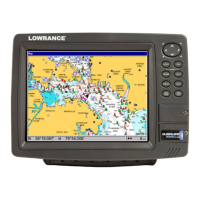

 To Next Page
