17
bracket to a swivel mount, which can be used on the dash or overhead
mounting positions. R-A-M offers permanent mounts and temporary
mounts suitable for many vehicle types. See your Lowrance dealer or
visit the LEI web site (
www.lei-extras.com) for the latest options; ac-
cessory ordering information is on the inside back cover of this man-
ual. For a complete look at the many mounting options, visit the RAM
web site at
www.ram-mount.com.
Optional R-A-M mounting system.
Bracket Installation
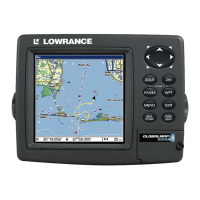
Mount the GlobalMap 3600C in any convenient location, provided there is
clearance behind the unit when it's tilted for the best viewing angle. This
must be a location with a clear view of the sky, so the internal
GPS antenna can lock-on to satellite signals. You should also make
sure there is enough room behind the GlobalMap 3600C to attach the
power cable. (A drawing on the next page shows the dimensions of a gim-
bal-mounted GlobalMap 3600C.)
Holes in the bracket's base allow wood screw or through-bolt mounting.
You may need to place a piece of plywood on the back side of thin fiber-
glass panels to reinforce the panel and secure the mounting hardware.


 To Next Page
 Loading...