16
17
Sonar operation | HOOK X series
Sonar operation | HOOK X series
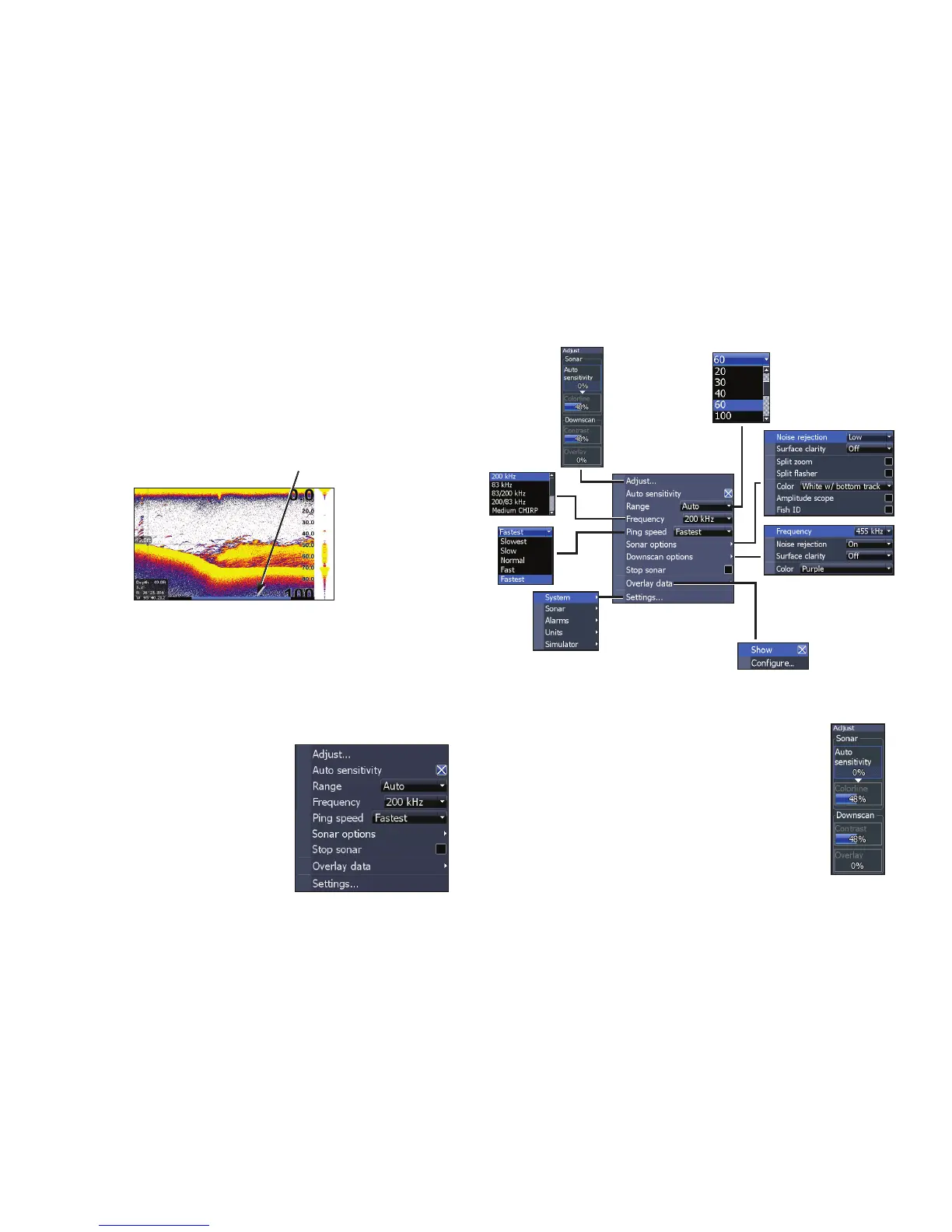
Blue sonar history bar
Trackback
You can review your recent sonar history by mov-
ing the cursor to the left until the screen starts to
move in reverse.
Move the sonar history bar all the way to the right
to resume normal sonar scrolling, or press MENU
and select Exit cursor mode.
Sonar menu
Press MENU from any sonar
page to access the Sonar
menu.
Adjust
Used to make adjustments to Sensitivity
and Colorline/Grayscale.
Sonar menu
(Advanced mode)
(Only active with
Downscan overlay
turned on)




 To Next Page