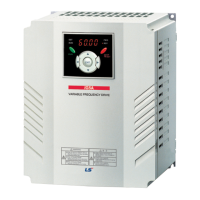
iS7 Ethernet Option Manual
(1) Option Type (Option card information, CFG-30)
Automatically indicates the type of the communication card presently
installed in the iS7. When the iS7 Ethernet communication card is
installed, “Ethernet” is displayed.
(2) Option Version (Option version information, COM-06)
Automatically indicates the version of the communication card
presently installed in the iS7.
(3) FBus Led (COM-09) – Indication of LED information
Displays the ON/OFF statuses of the 4 LEDs on the communication
card on the keypad parameter COM-09. Looking up the COM-9 FBus
LED with keypad, 4 bits can be seen. In the order of the LED of the
COM-09 (right to left), information is displayed in the said order of CPU,
ERR, LINK2, and LINK1 LED.
If the LED is ON, the bit is 1, and of it is OFF, the bit is 0.
COM-09 LED status example)
(4) Ethernet Option IP Address, Subnet Mask, Gateway Address
(COM-10~21) Setting
The version of IP that Ethernet option supports is v4.
That is, all addresses and masks are represented as decimal, decimal,
decimal, decimal, and each decimal number is between 0 and 255.
CPU LED
ERROR LED
LINK2 LED
LINK1 LED


 To Next Page
 Loading...