Quick Start Guide of Digital Video Recorder
13
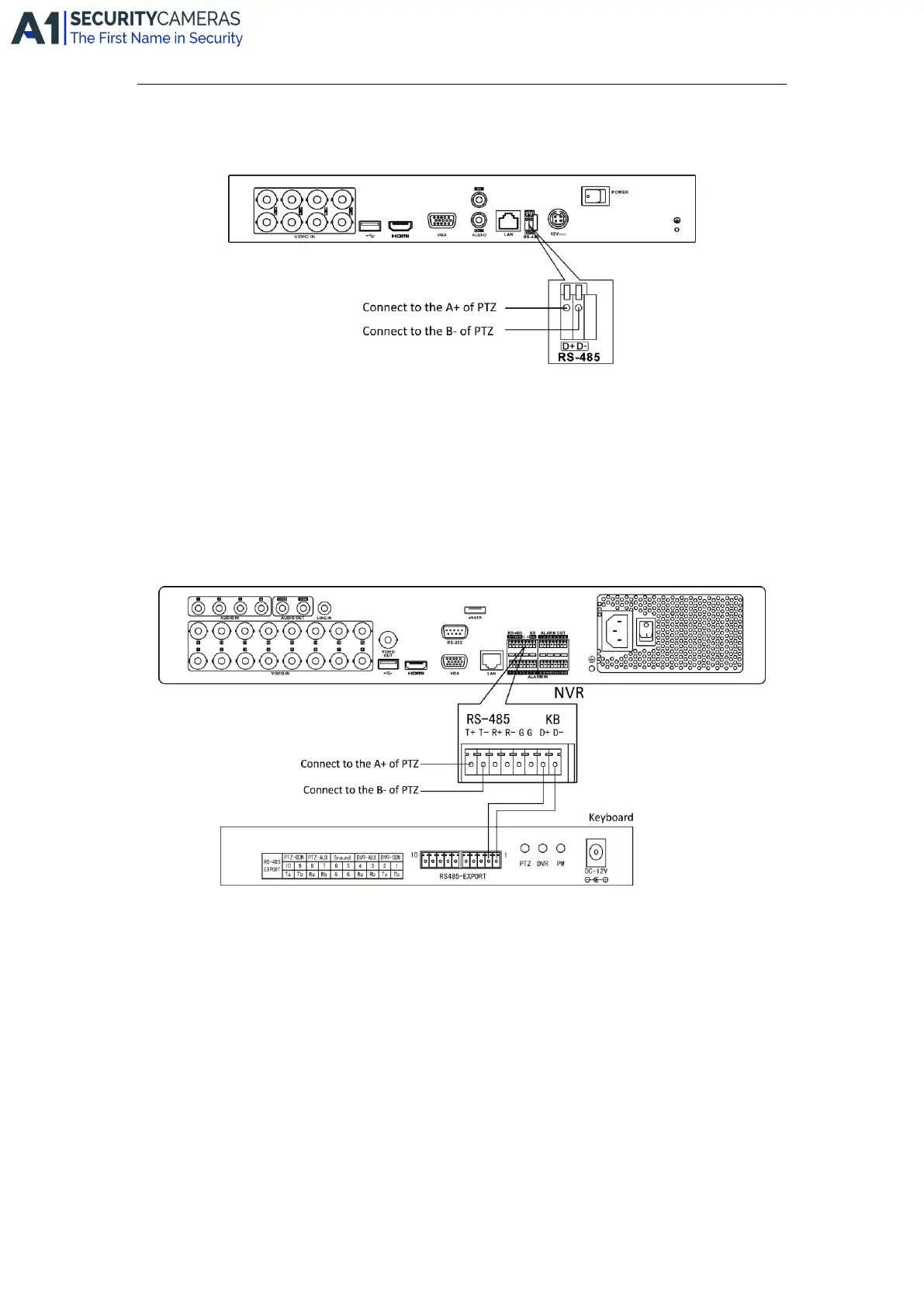
RS-485 and Controller Connection
For 4/8/16-FT Series
To connect PTZ to the DVR:
1. Disconnect pluggable block from the RS-485 terminal block.
2. Press and hold the orange part of the pluggable block; insert signal cables into slots and release the orange
part. Ensure signal cables are in tight.
3. Connect A+ on PTZ to D+ on terminal block and B- on controller to D- on terminal block. Fasten stop
screws.
4. Connect pluggable block back into terminal block.
For 4/8/16-ST Series
To connect PTZ to the DVR:
1. Disconnect pluggable block from the RS-485 terminal block.
2. Press and hold the orange part of the pluggable block; insert signal cables into slots and release the orange
part. Ensure signal cables are in tight.
3. Connect A+ on PTZ to T+ on terminal block and B- on controller to T- on terminal block. Fasten stop
screws.
4. Connect pluggable block back into terminal block.
To connect a controller to the DVR:
1. Disconnect pluggable block from the KB terminal block.
2. Press and hold the orange part of the pluggable block; insert signal cables into slots and release the orange
part. Ensure signal cables are in tight.
3. Connect Ta on controller to D+ on terminal block and Tb on controller to D- on terminal block. Fasten stop
Available from A1 Security Cameras
www.a1securitycameras.com email: sales@a1securitycameras.com









 To Next Page