Quick Start Guide of Digital Video Recorder
25
Log
You can view and export the log files at any time, including operation, alarm, exception and information of device.
Before you start
The Log function can be realized only when the device is connected with HDD or network disk. And make sure
the HDD or network disk has been initialized for the first time to use.
Steps:
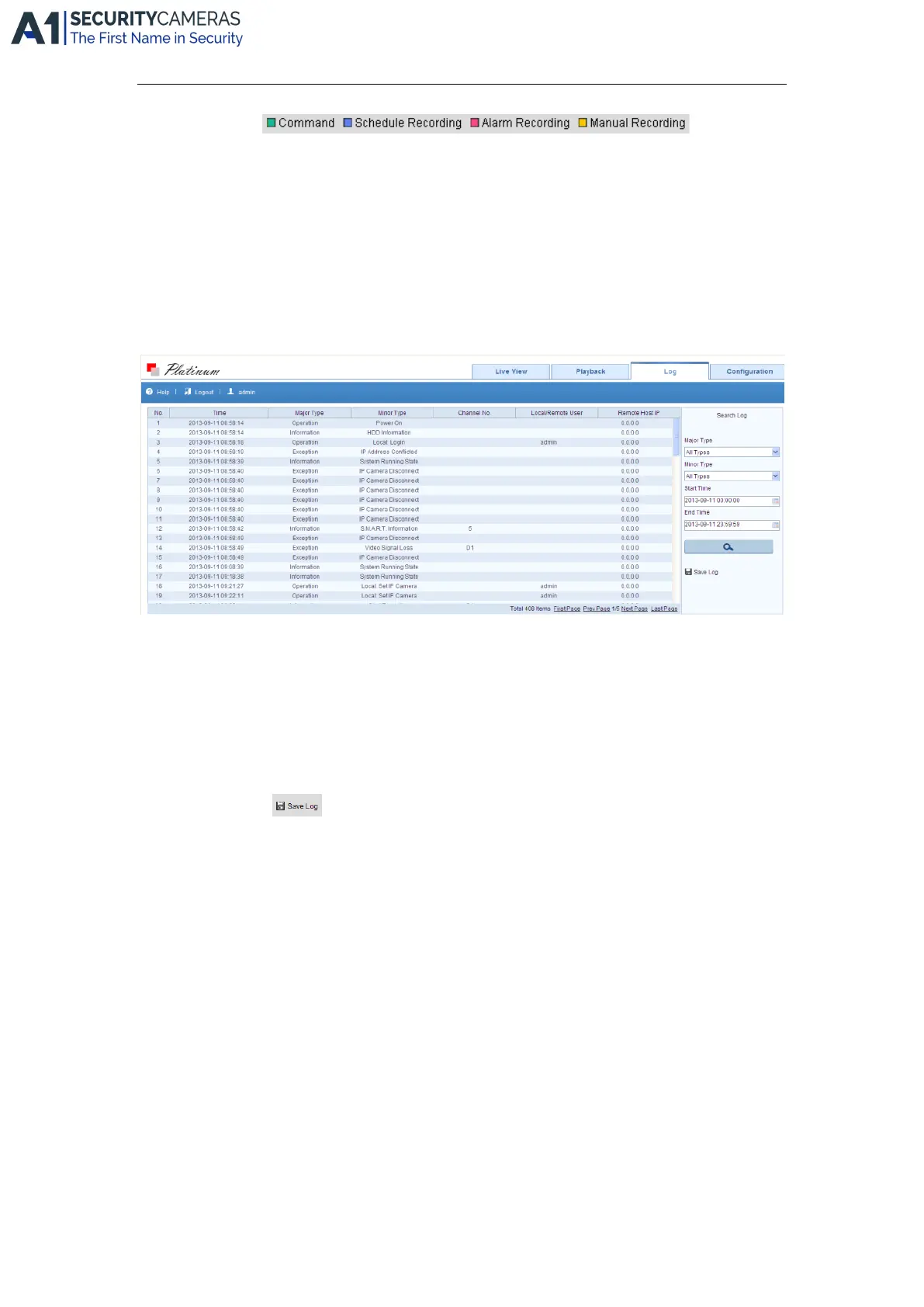
1. Click Log on the menu bar to enter the Log interface.
2. Set the log search conditions to refine your search, including the Major Type, Minor Type, Start Time and
End Time.
3. Click the Search button to start searching log files.
4. The matched log files will be displayed on the list shown below.
Note: Up to 100 log files can be displayed each time.
You can click the button to save the searched log files to local directory.
.
Available from A1 Security Cameras
www.a1securitycameras.com email: sales@a1securitycameras.com









 To Next Page