Quick Start Guide of Digital Video Recorder
26
Menu Operation
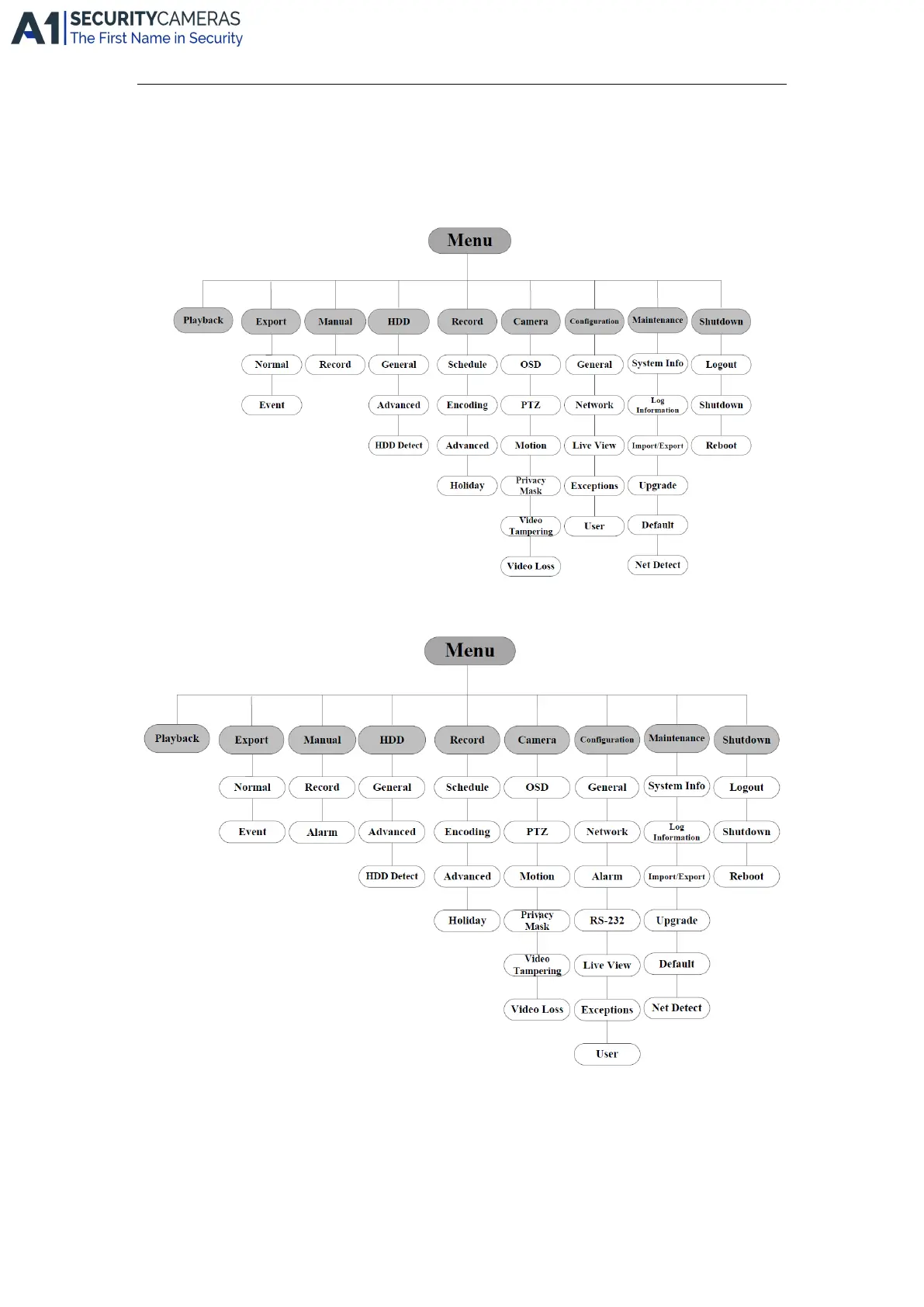
Menu Structure
The menu structure of the 4CH/8CH-FT/ST DVR is shown below:
The menu structure of the 16/CH-ST and 24/32CH-FA DVR is shown below:
Startup and Shutdown
Proper startup and shutdown procedures are crucial to expand the service time of the DVR.
To start the DVR:
Check the power supply is plugged into an electrical outlet. It is HIGHLY recommended that an Uninterruptible
Power Supply (UPS) be used in conjunction with the device. Turn on the power switch on the rear panel; the
Available from A1 Security Cameras
www.a1securitycameras.com email: sales@a1securitycameras.com









 To Next Page