VC-A70H Firmware(FW) Upgrade 2
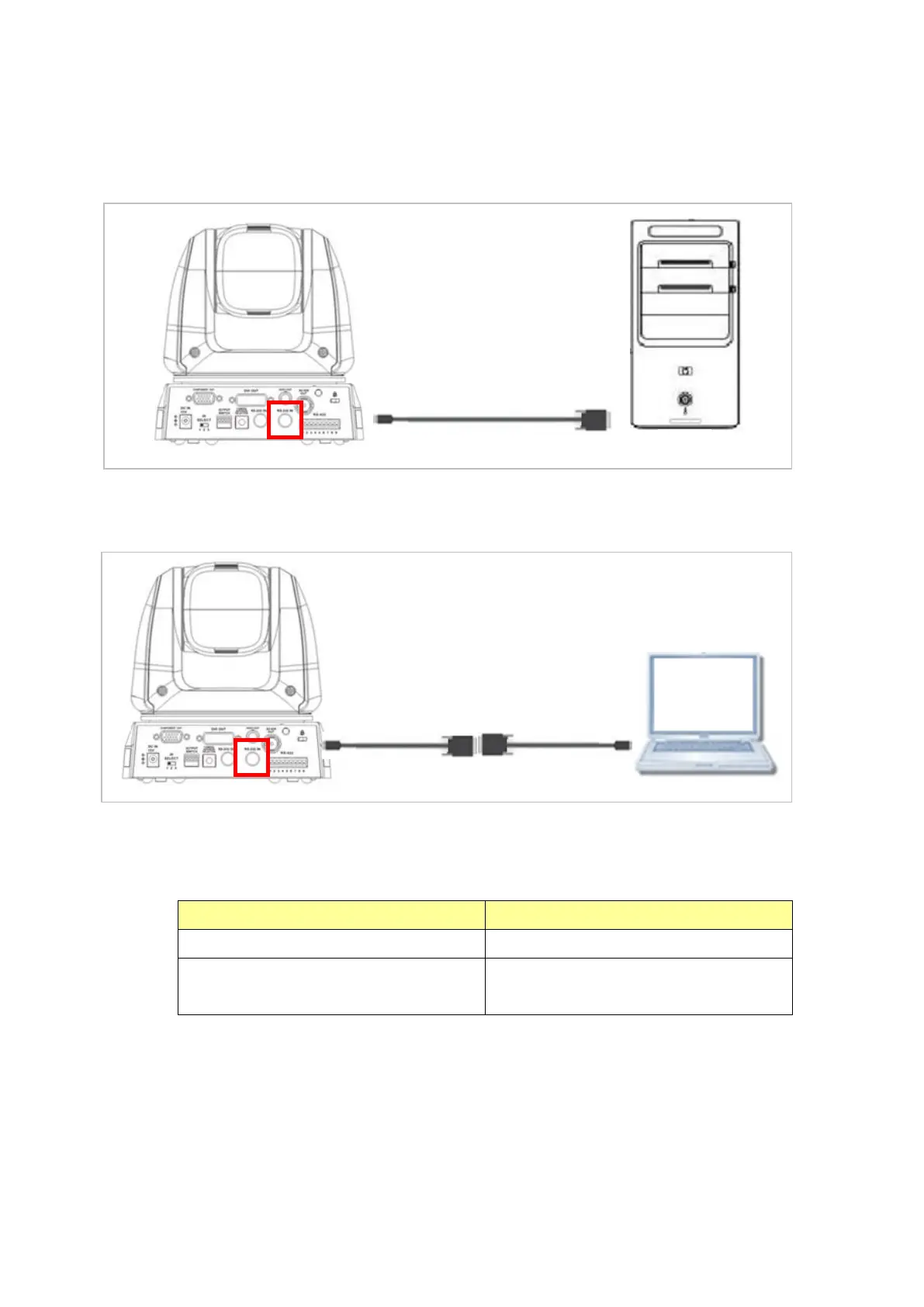
2. Connections for FW upgrade
**Note: OS Support: Windows Vista, Windows XP, Windows 7, Windows 8
The VC FW cannot be upgraded through MAC OS.
2.1 Connect the VC camera(RS232 In) with a PC
2.2 Connect the VC camera(RS232 In) with a laptop
Need 2 cables: RS232 cable and RS232-USB cable
3. FW Upgrade AP
3.1 Please contact Lumens FAE Department through e-mail to get the AP before
upgrading.
Motor_Pan_VFBxxx
Motor_TIlt_ VFBxxx
4. Download Mode
4.1 Different FW has different download modes.
For the detailed information and the download procedure, please check related
chapters below.



 To Next Page
 Loading...