EasyManua.ls Logo

Lumens VCBC106d - User Manual

Lumens VCBC106d
42 pages
Print Icon
To Next Page IconTo Next Page
Loading...
1
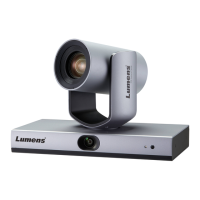
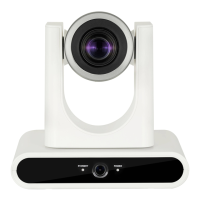
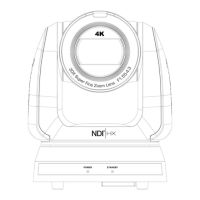
VC-A71SN
Ultra HD camera
(4K PTZ Video Camera)
Version VCBC106d
User Manual - English
To download the latest versions of the Quick Start
Guide, multilingual user manual, software, driver,
etc., please visit Lumens
https://www.MyLumens.com/support

Questions and Answers

  • M
    Mary MaciasAug 9, 2025
    What to do if there is no image output from Lumens Camcorder VC-A71SN?
    • G
      Gina KingAug 9, 2025
      If there's no image output from your Lumens VC-A71SN Camcorder, try these steps: First, check the power supply or PoE supply functions. Second, confirm the output signals are in streaming output. Third, check that the camera resolution is compatible with your monitor, especially if using 4K output. Finally, replace the cables to rule out any faults.
  • D
    david96Aug 13, 2025
    Why is my Lumens Camcorder not saving parameters after reboot?
    • J
      Joseph CooperAug 13, 2025
      If your Lumens Camcorder isn't saving parameters after a reboot, ensure that the Initial Position is set to Last Operated Position within the setting menu or web page.
  • J
    John HatfieldAug 17, 2025
    How to fix delayed tracking data output on Lumens Camcorder?
    • A
      Arthur ThompsonAug 17, 2025
      If the tracking data output is delayed or not updated on your Lumens Camcorder, confirm that the camera is not currently modifying output resolution, camera mode, or HDMI format. Also, ensure that you are not using setting menu, streaming setting, or audio source setting.
  • O
    odeanAug 21, 2025
    What to do if my Lumens Camcorder won't boot?
    • A
      Ann ClarkAug 21, 2025
      If your Lumens Camcorder won't boot, ensure that the power cord is properly plugged in. If using a PoE connection, verify that the power supply supports POE++ (IEEE802.3bt) routers or hubs.
  • H
    Holly EspinozaAug 26, 2025
    Why is RS-232 control not working on my Lumens Camcorder?
    • J
      Julia SmithAug 26, 2025
      If RS-232 control isn't working on your Lumens Camcorder, first confirm that the connection is correct, paying attention to the RS-232 In/Out ports. Then, verify that the Baud rate setting on the camera matches that of the control equipment.
  • M
    melissa84Aug 30, 2025
    How to enable Tally lamp on Lumens Camcorder with RS232 setting?
    • K
      Kiara MacdonaldAug 30, 2025
      If the Tally lamp isn't working on your Lumens Camcorder when applying the RS232 setting, make sure that the Tally lamp function is enabled within the setting menu or web page.
  • C
    Craig BushSep 3, 2025
    What to do if NDI/Onvif software cannot find Lumens Camcorder?
    • M
      Mr. Timothy FieldsSep 4, 2025
      If the NDI/Onvif software cannot find your Lumens Camcorder, ensure that the settings on the [Setting] > [Video] > [NDI|HX] page are configured correctly.

Lumens VCBC106d Specifications

General IconGeneral
Camera Sensor1/2.8" CMOS
Effective Pixels2.07 Megapixels
ApertureF1.6
Minimum Illumination0.5 Lux (Color)
Day/NightYes
Video OutputHDMI
Control InterfaceRS-232
Network Interface10/100
ProtocolRTSP
Power SupplyDC 12V
Resolution1080p Full HD

Related product manuals