Luowice Wireless Security Camera User ManualLuowice Wireless Security Camera User Manual
2.3.4 Action with Alarm
2.3.4 Action with Alarm
2.3.4 Action with Alarm
2.3.4 Action with Alarm
2.3.4 Action with Alarm
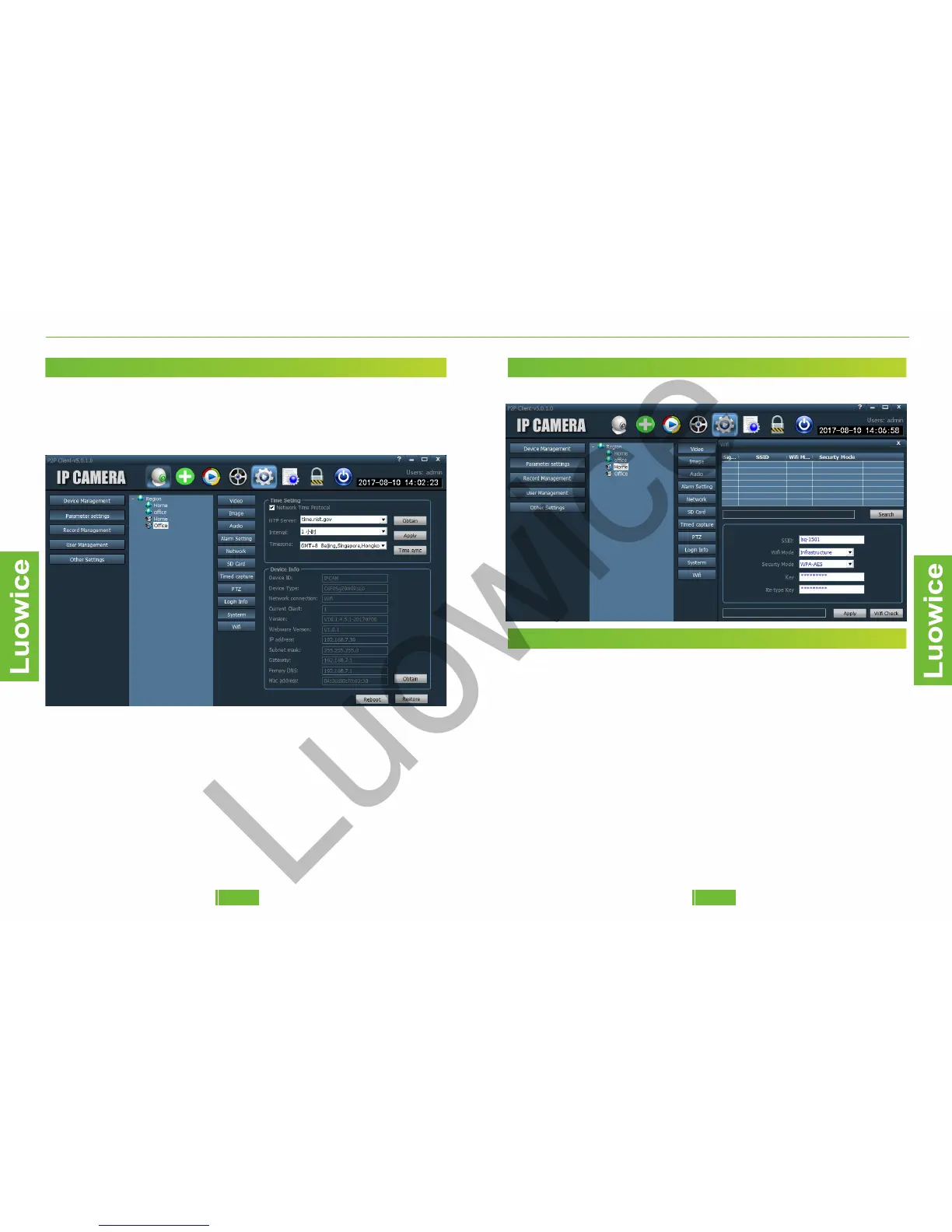
2.3.10 System
Function: Check the system settings or reboot the settings back to factory
settings.
Note: Please note that you can reboot the device via clicking 'Reboot' or
'Restore'. There is no difference.
2.3.4 Action with Alarm
2.3.4 Action with Alarm
2.3.4 Action with Alarm
2.3.4 Action with Alarm
2.3.4 Action with Alarm
2.3.11 Wi-Fi
Function: Modify the Wi-Fi settings of the camera.
2.3.4 Action with Alarm
2.3.4 Action with Alarm
2.3.4 Action with Alarm
2.3.4 Action with Alarm
2.3.4 Action with Alarm
2.4 Record Management
Function: Modify the local record settings.
Operation: Please check 'Enable the plan of record' to activate local
recording function. And then you can set up the recording schedule
according to your need. Please refer to 3.4.1.2.6 SD Card about how to
set up the schedule. And then choose a Disk of your PC to store the
record.
Note:
a)The default 'General Record Length' is 5 Min. It can be modified from
1-30 Min.
b)You can choose to leave a specific storage space in the disk for the PC
that the camera cannot use. You can modify the leaving space from 1-50
GB.
c)The default record format is: 264. When you find the recorded videos
cannot be played via the player, please change it to AVI format.
d)Please choose the larger capacity disk to save and make sure the 'disk
begins recovery control' is smaller than the available size of the disk.
1918


 To Next Page