Luowice Wireless Security Camera User ManualLuowice Wireless Security Camera User Manual
2.3.4 Action with Alarm
2.3.4 Action with Alarm
2.3.4 Action with Alarm
2.3.4 Action with Alarm
2.3.4 Action with Alarm
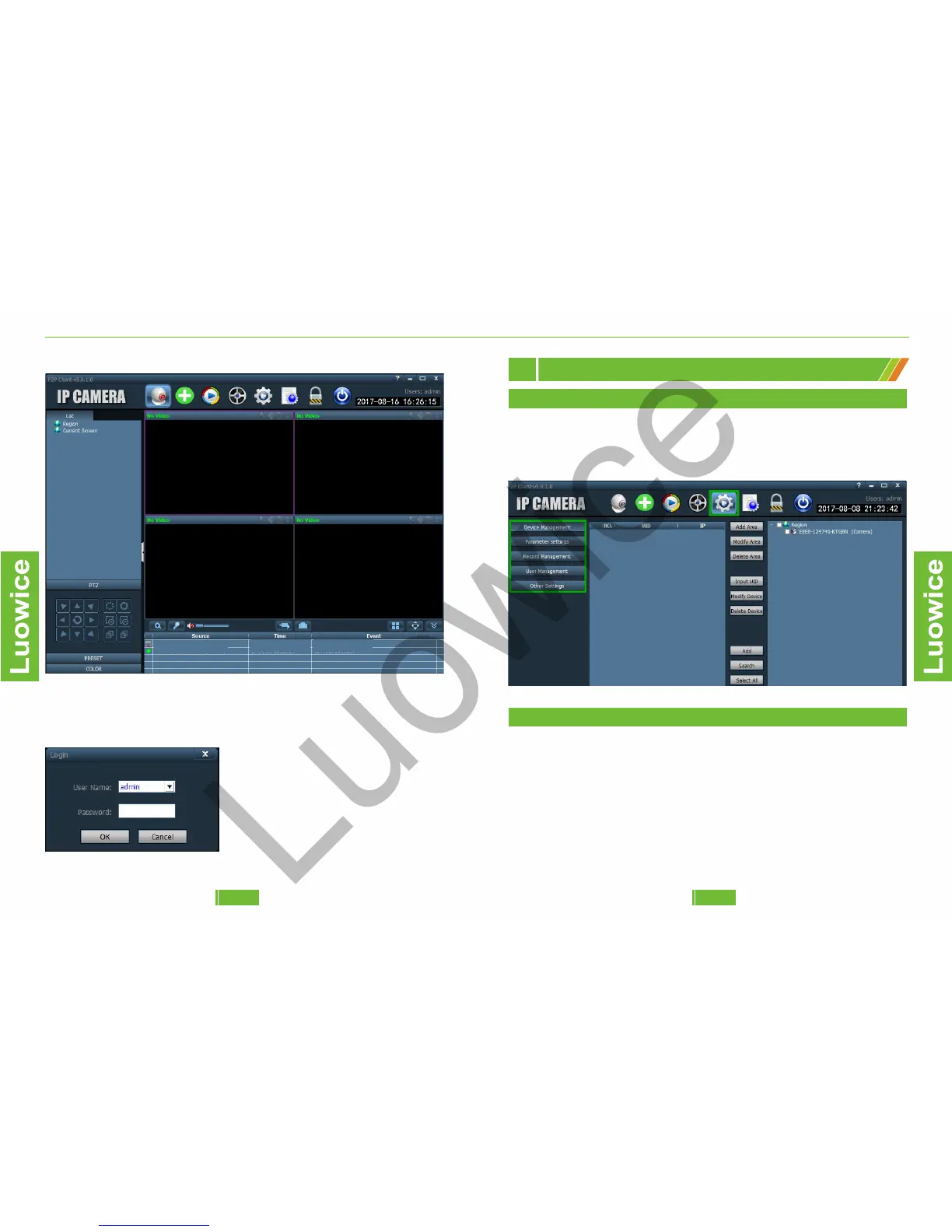
Double click the icon, and the default interface is as follows:
Click any button on the middle of the top and the Log In page will pop out.
The log in interface is as follows:
Default user name: admin and cannot
be modified.
Password: No password, just leave it
blank and click 'OK' to log in.
Note: Please note that only the users
with admin permissions can exit the PC
client. Common user and guest cannot
exit the PC client.
2.3.4 Action with Alarm
2.3.4 Action with Alarm
2.3.4 Action with Alarm
2.3.4 Action with Alarm
2.3.4 Action with Alarm
2.3.4 Action with Alarm
2.1 The Config Interface
PC Client Operation Instruction
2
There are five sub categories on the config interface: Device Management,
Parameter settings, Record Management, User Management, and Other
Settings.
2.3.4 Action with Alarm
2.3.4 Action with Alarm
2.3.4 Action with Alarm
2.3.4 Action with Alarm
2.3.4 Action with Alarm
2.2 Device Management
The device management interface can be divided into four zones.
Zone 1: Two methods to add cameras to the PC Client.
Zone 2: Online device list.
Zone 3: Classify cameras into different regions, such as garden, garage,
etc.
Zone 4: Region list.
0302


 To Next Page