Luowice Wireless Security Camera User Manual
Luowice Wireless Security Camera User Manual
appears, audio monitoring is applicable. Click the voice monitor
button again and the audio monitoring function will be deactivated.
Record: Choose the live view camera you want to enable local
recording function, and then click the recording button to apply recording.
When this icon appears on the top right side, video recording starts and it
will be stored in the PC. Click the record button to stop recording.
Photo: Choose the live view camera you want to take snapshot. Then
click the photo button to take snapshots.
Select Pic:There are 6 screen display modes (1/4/6/8/9/16)for you to
choose from.
Full Screen: Click it and then the live view interface will cover the \
entire screen
Alarm message list shrink/extend: click it to display or hide the
alarm message list.
2.3.4 Action with Alarm
2.3.4 Action with Alarm
2.3.4 Action with Alarm
2.3.4 Action with Alarm
2.3.4 Action with Alarm
2.7.6 Alarm Info
Function: There will be alarm info at the bottom of the interface which
shows the status of the cameras, such as connect success, password error,
etc.
2.3.4 Action with Alarm
2.3.4 Action with Alarm
2.3.4 Action with Alarm
2.3.4 Action with Alarm
2.3.4 Action with Alarm
2.8 The Automatically add devices interface
Function: To add those cameras in the same LAN with the PC via a simple
click.
Note: When the cameras have modified the password, the 'Automatically
add devices' function is not applicable.
2.9 Back Videos to the Computer and Change Format of the Videos
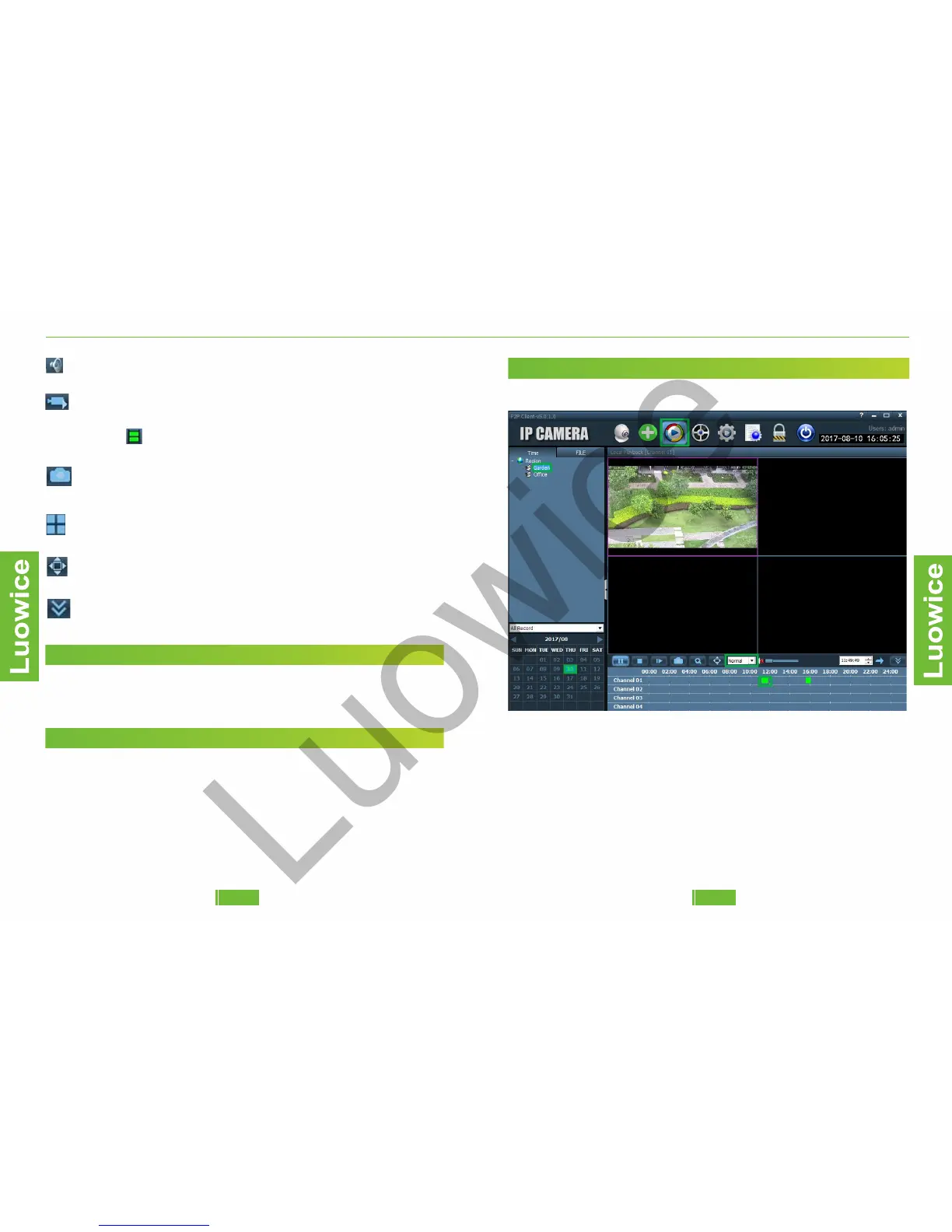
Function: To playback the local video records stored in the PC's disk.
Operation: Please click the 'Local Playback' icon. And then choose the
camera you want to playback from the region list. And choose the date
you want to playback. Then the local video records will show record bar
in green color on the schedule form at the bottom. Click the green record
bar and it will start playback automatically. Click the 'Normal' icon and
you can choose the playback speed from 1/8 to 8X.
2726


 To Next Page