Luowice Wireless Security Camera User ManualLuowice Wireless Security Camera User Manual
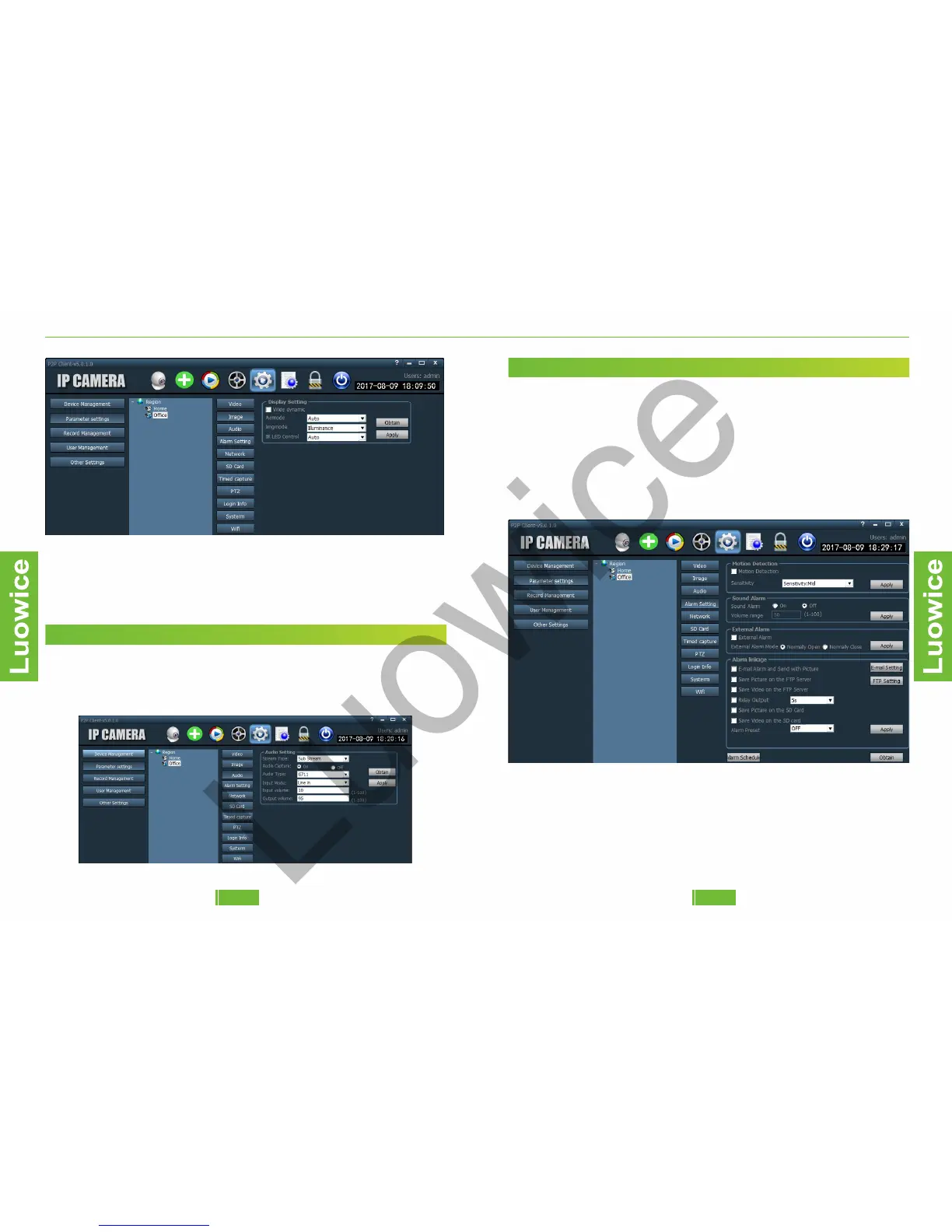
Note: please note that if you change the 'IR LED Control' to 'On' all day
long, the image quality in day time will be affected. And if you change
the 'IR LED Control' to 'Off' all day long, the camera will have no night
vision, which means the camera view will be completely dark without
showing images.
2.3.4 Action with Alarm
2.3.4 Action with Alarm
2.3.4 Action with Alarm
2.3.4 Action with Alarm
2.3.4 Action with Alarm
2.3.3 Audio
Function: modify the audio settings.
Operation: the device will obtain the appropriate settings automatically
based on your network condition. We suggest not to modify the settings
manually.
2.3.4 Action with Alarm
2.3.4 Action with Alarm
2.3.4 Action with Alarm
2.3.4 Action with Alarm
2.3.4 Action with Alarm
2.3.4 Alarm Setting
Function: Modify the settings of alarm.
Operation: The operation is similar to those via phone APP. Please refer
to the instruction of phone APP above.
Note:
a)Sound Alarm: Only applicable to devices that support sound alarm
function.
b)External Alarm: Only applicable to devices that support external
alarm function.
1312


 To Next Page