2.3.4 Action with Alarm
2.3.4 Action with Alarm
2.3.4 Action with Alarm
2.3.4 Action with Alarm
2.3.4 Action with Alarm
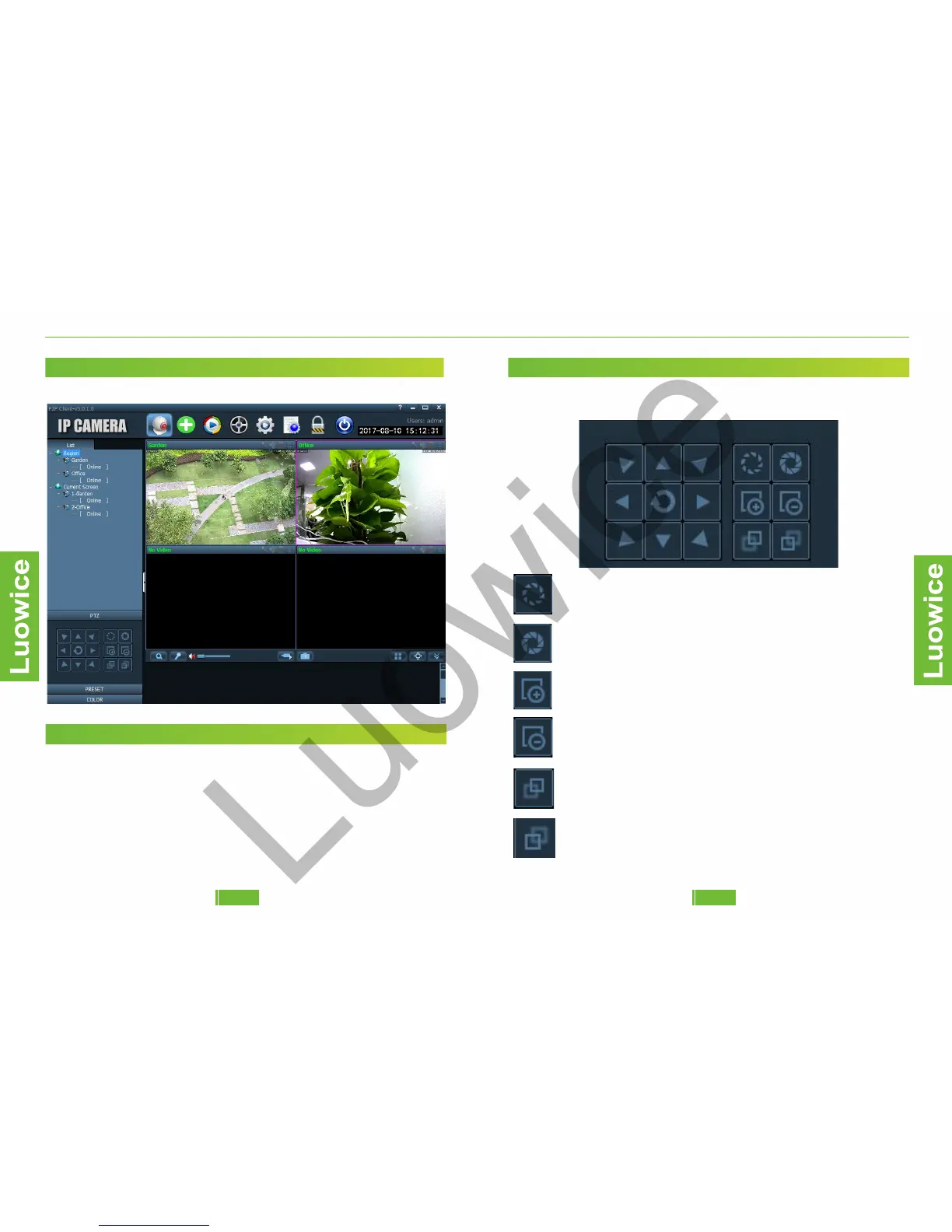
2.7 The Preview Interface (Monitor PTZ Function and Preset Function)
Function: Modify the live view of the cameras.
2.3.4 Action with Alarm
2.3.4 Action with Alarm
2.3.4 Action with Alarm
2.3.4 Action with Alarm
2.3.4 Action with Alarm
2.7.1 List
Region: Shows the cameras classifications.
Current Screen: Shows the cameras with live views on the PC Client at
the moment.
Luowice Wireless Security Camera User ManualLuowice Wireless Security Camera User Manual
2.3.4 Action with Alarm
2.3.4 Action with Alarm
2.3.4 Action with Alarm
2.3.4 Action with Alarm
2.3.4 Action with Alarm
2.7.2 PTZ
To control PTZ directions, please kindly click the any of the eight
direction icons.
Iris enlarge button. Only applicable for cameras with lens
supporting this function.
Iris shrink button. Only applicable for cameras with lens
supporting this function.
Zoom in button. Only applicable for cameras with lens
supporting this function.
Zoom out button. Only applicable for cameras with lens
supporting this function.
Focus out button. Only applicable for cameras with lens
supporting this function.
Focus out button. Only applicable for cameras with lens
supporting this function
2322


 To Next Page