EasyManua.ls Logo

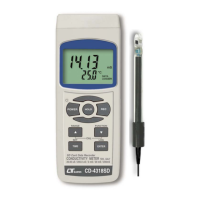
Lutron Electronics CD-4318SD - 4 Function Selection

Lutron Electronics CD-4318SD
31 pages
Print Icon
To Next Page IconTo Next Page
To Previous Page IconTo Previous Page
Loading...
4. FUNCTION SELECTION
1) Power ON the meter by pressing and holding the " Power
Button " ( 3-2, Fig. 1 )for at least 1.5 seconds .
* Pressing the " Power Button " ( 3-2, Fig. 1 )
continuously and > 1.5 seconds again will turn off the
meter.
2) The meter can select 3 kind Mode as :
a.
Conductivity measurement
b.
TDS measurement
c.
Salt measurement
pressing and holding the " FUNCTION Button " ( 3-6, Fig. 1 )
continuously , Display will show the following text in sequence :

C
D
Conductivity measurement
TD
S
TDS measurement
SAL
T
Salt measurement
Until the Display show the desired mode the meter will
execute this FUNCTION with default.
7

Related product manuals