14
4.4.2 Download the HubbleClub for partners App
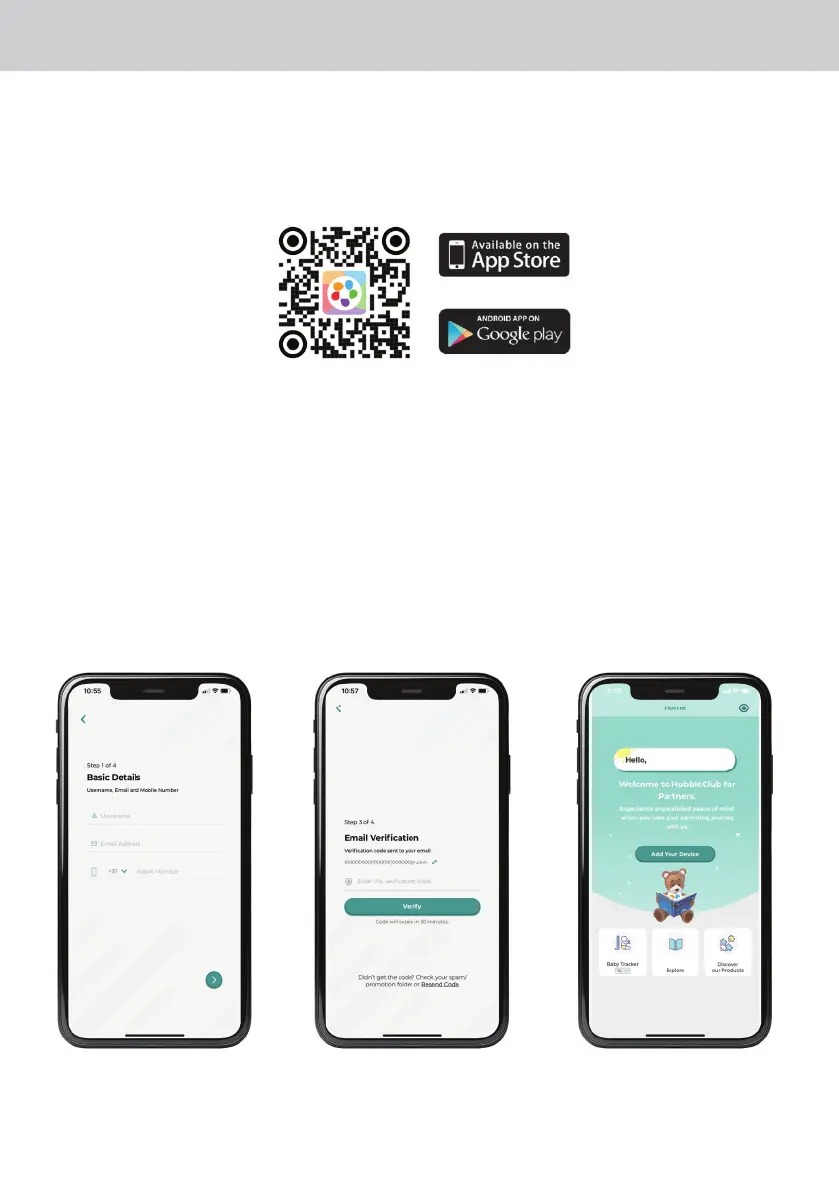
• Scan the QR code with your smart device and download the HubbleClub for partners App
from the App Store for iOS devices or from the Google Play™ Store for Android™ devices.
• Install the HubbleClub for partners App on your device.
4.4.3 Sign up with Hubble Club for partners on your smart device
• Ensure that your smart device is connected to your Wi-Fi® router.
• Run the HubbleClub for partners App, tap Create Account, read through the Privacy Policy,
Terms and Conditions, by signing up you agree to our terms of service, tap Done.
• Follow the steps to enter your account information and sign up (fig 1, fig 2, fig 3)
Note:
If you already have a HubbleClub for partners App account, please tap Log in to go to the next
steps.
Fig 1 Fig 2 Fig 3















 To Next Page