Need help?
Do you have a question about the LUX KONOzw and is the answer not in the manual?
Lists the components included in the KONOzw thermostat package.
Lists the tools required for installing the KONOzw thermostat.
Instructions to turn off power and verify system shutdown before installation.
Guide on how to detach the old thermostat from its wall base.
Photograph and label current wiring for accurate installation reference.
Guides users to identify their HVAC system type and wiring for installation.
Remove wires, detach old base, secure new base, and pull wires through.
Advises on installing the optional trim plate or wall anchors.
Connect wires to thermostat terminals for conventional (furnace) systems.
Connect wires to thermostat terminals for heat pump systems.
Specific instructions for RC/RH wires and O/B wires in certain systems.
Instructions for inserting AA batteries if a C-wire is not present.
Secure the thermostat unit and restore power to the HVAC system.
Guides the initial setup and configuration of the thermostat's system type.
Guides on connecting the KONOzw to a Smart Hub via Z-Wave Plus.
Explains how to select operational modes, fan settings, and manage schedules.
Accessing advanced configuration options and managing Smart Hub connectivity.
Instructions on how to replace the decorative front cover.
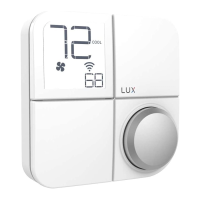
Basic guide on operating the thermostat using its knob interface.
Explains the meaning of various icons and numbers displayed on the thermostat screen.
Explains icons for fan status, system preparation, and battery levels.
Guides on accessing and navigating the System Mode and Fan Mode selection menus.
Guides on accessing and navigating advanced installation settings.
How to connect, disconnect, or manage the Smart Hub connection.
Guidance on using the thermostat for cold and hot weather conditions.
Visual guide for wiring a conventional HVAC system to the thermostat.
Visual guide for wiring a heat pump HVAC system to the thermostat.
Provides electrical ratings, disconnection means, and pollution degree.
Information regarding FCC and Canadian radio standards compliance.
 General
| Brand | LUX |
|---|---|
| Model | KONOzw |
| Category | Thermostat |
| Language | English |

 To Next Page