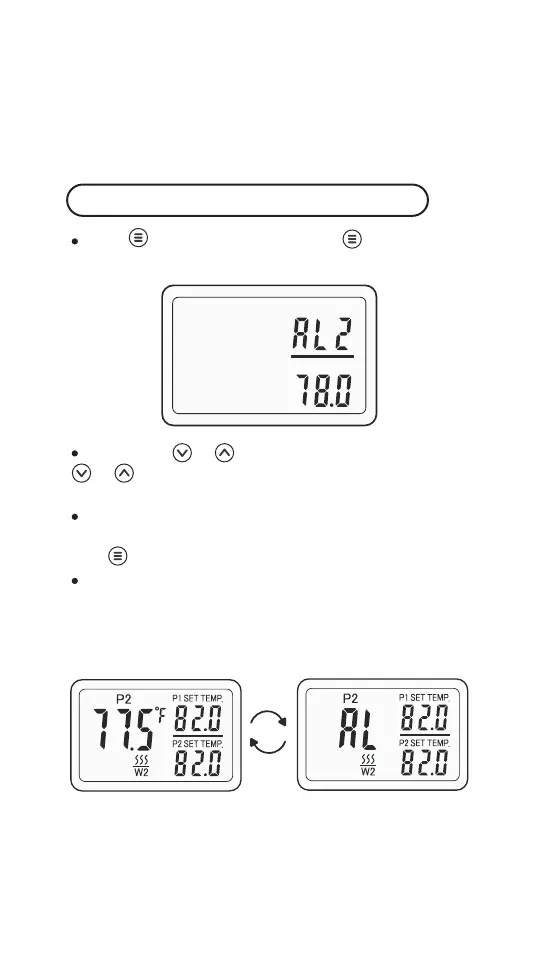
Hold for 2 seconds and press once again to
enter the setting menu, then select AL2.
Short press or to adjust the setting values, hold
. or to adjust the setting values quickly. For exam-
ple 78.0℉.
The controller will save the settings and exit automati-
cally if there's no operation in 60 seconds, or you can
hold for 2 seconds to exit settings manually.
When the current temperature of P2 is less than or
equal to the low temperature alarm set value of P2, the
low temperature alarm will be triggered, and AL will be
displayed alternately with the current temperature.
Note: If ALM = ON, the buzzer will sound Bi-Bi-Biii when
the low temperature alarm is triggered, and it will stop
when the temperature returns to normal. You can also
press any button to manually cancel the alarm.
Note: If ALM = ON, the buzzer will sound Bi-Bi-Biii when
the high temperature alarm is triggered, and it will stop
when the temperature returns to normal. You can also
press any button
to manually cancel the alarm.
Low Temperature Alarm of P2(AL2)
-14-



 To Next Page