41
Using the Lynx Evo App
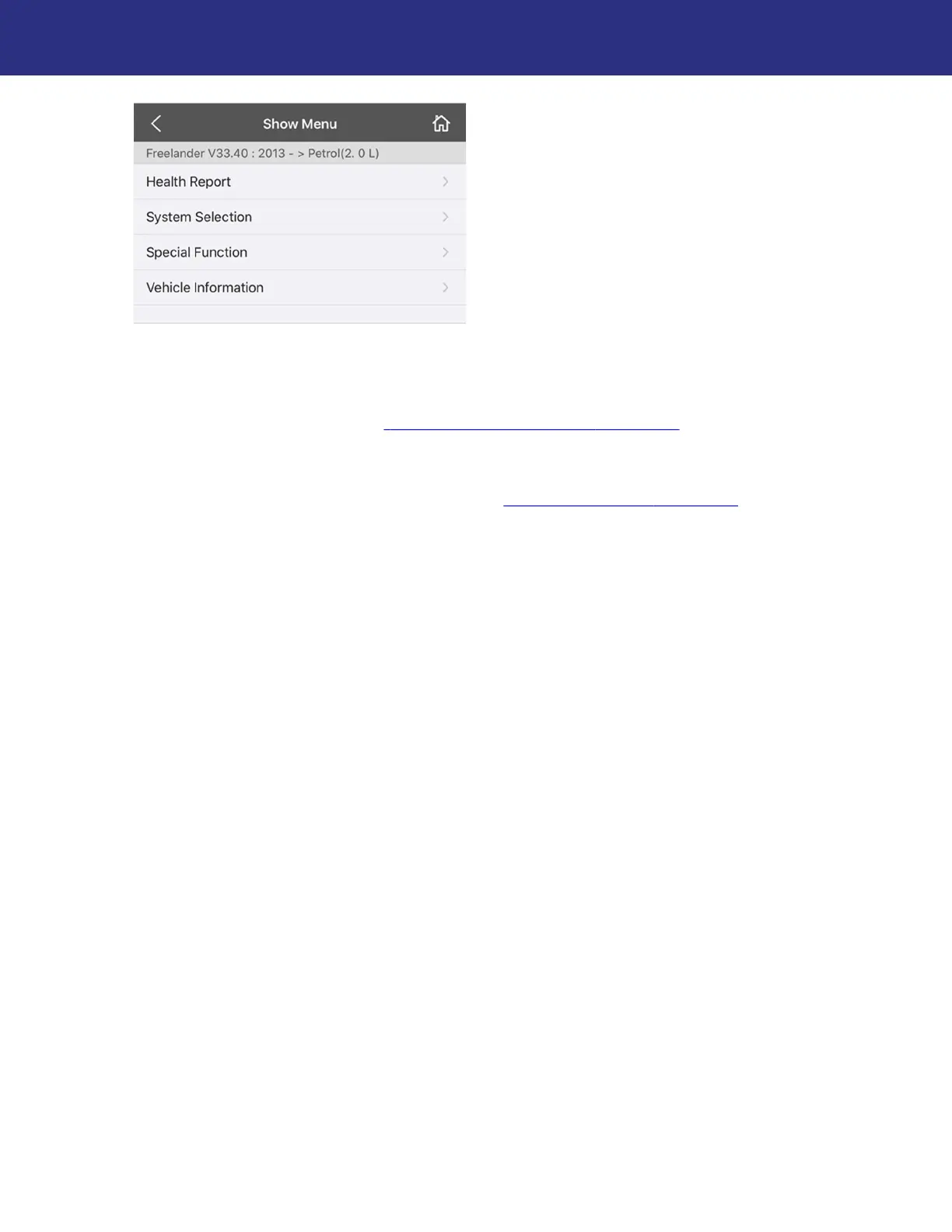
7. The next menu will list all available diagnostics and system management functions for that
model. These functions usually include:
Health Report: Checks all vehicle systems and lists any existing fault codes. Report can
be saved and shared. See “
Running a Health Report”, page 42.
System Selection: Lists each system on the vehicle that can be diagnosed. Options
include:
Reading and clearing fault codes (see “
System Selection”, page 45)
Viewing live data streams
Force outputs (if supported)
Special Function: Varies by model and year. There are a wide variety of special functions,
such as:
System tests
Calibration (e.g. sensors, modules)
Key programming (if supported)
System resets
Vehicle Information: Displays information read from the vehicle, such as:
Vehicle Identification Number (VIN)
Transmission, fuel, and engine types
Fitted/installed options (e.g. tilt sensor, navigation system, power fold mirrors)
Enabled/disabled functions (e.g. speedlocking, regional daytime running lamps)
NOTE: When selecting specific systems and functions, the app will prompt you with
instructions throughout each step of the process. Read and follow these steps carefully as
instructed by the app, and heed any warnings or cautions.


 To Next Page