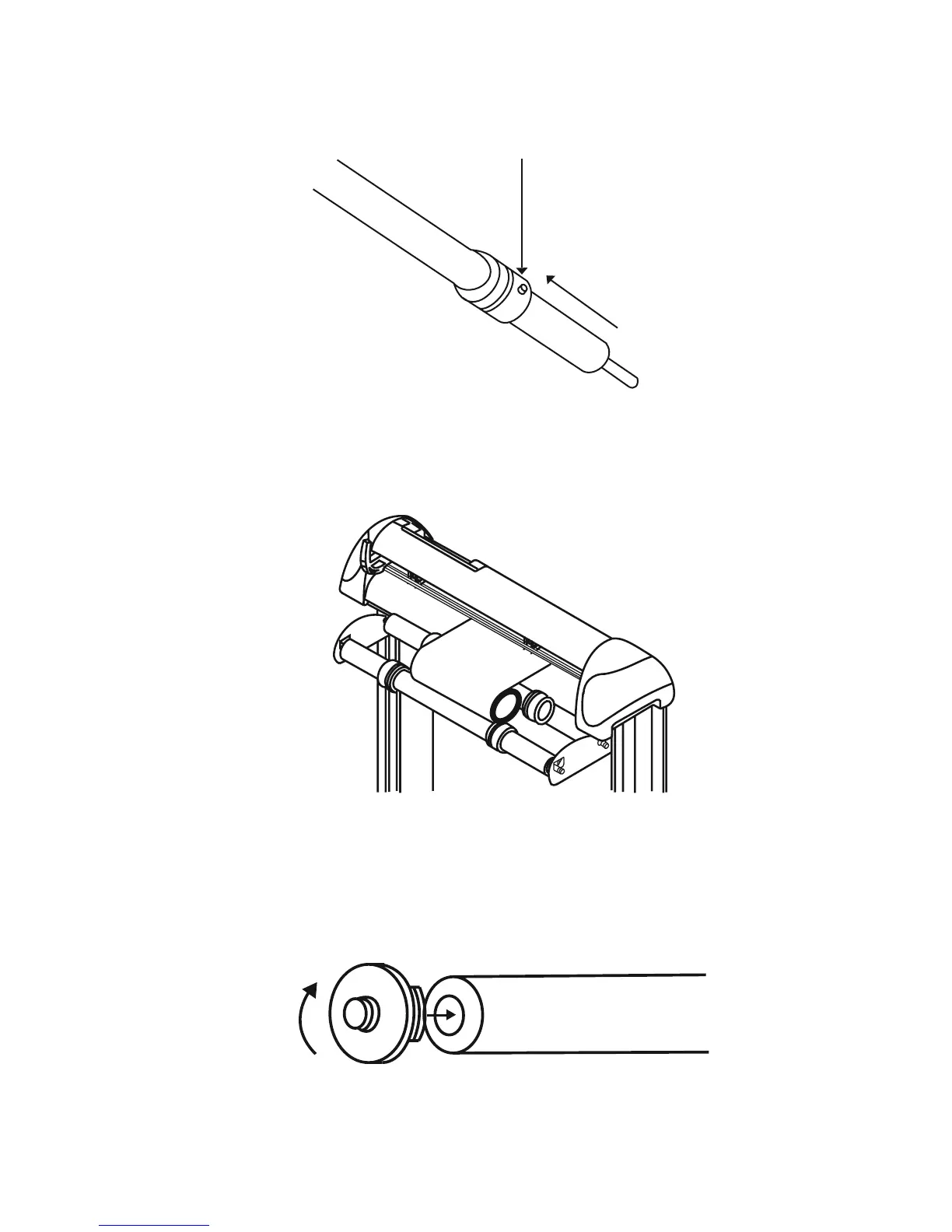
Roll Media Guide Bushes
4.2 Loading the Roll Media
First, put the roll media guide bushes on two roll holders (Figure 4-5) but do not lock them down.
Option A (Recommended)
1) Insert the two roll holders into the roll media support set then place the roll media directly between the
two roll holders (Figure 4-6).
Figure 4-5
Figure 4-7
Option B (use the media fl anges)
1) Insert a roll media fl ange at the end of each roll media and tighten the thumbscrew until the roll media is
fi rmly gripped (Figure 4-7).
4. Basic Operation 4-3
Figure 4-6


 To Next Page