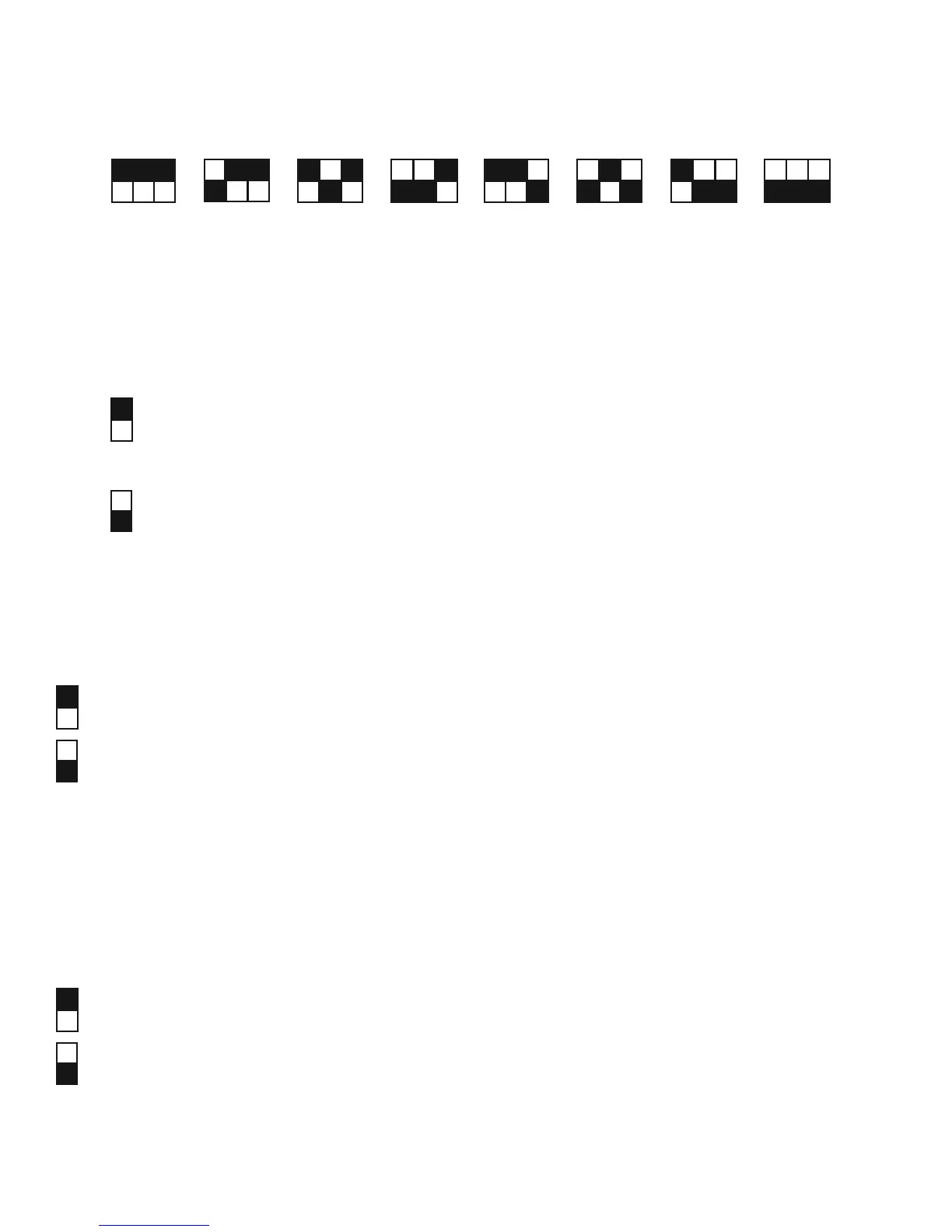
SW-5: QUALITY
There is a trade-off between Quality and Speed, the fi ner the cutting quality, the slower the cutting speed.
Fine quality
Draft quality
SW-6: SMOOTH
Make the curves smoother during cutting. When cutting small letters, it is recommend
to disable the smoothing cut.
Disable the smoothing cut.
Enable the smoorhing cut.
4. Basic Operation 4-11
SW 1-3: OFFSET SETTING
The fi rst three dip switches represent 8 different offset values as below:
0.000
0.175
0.250
0.275
0.300
0.500
0.750
1.000
SW-4: MEDIA WEIGHT (SPEED)
The fourth dip switch from the left sets the upper limit for cutting speed. Heavy media has a smaller upper limit.
The value of the cutting speed can be changed from the driver.
Heavy media is used so the upper limit for cutting speed is 300 mm, default is 30mm/s.
Light media is used so the upper limit for cutting speed is 600mm default is 330mm/s.


 To Next Page