13
1.4 Memory card
1.4.1 Inserting memory card
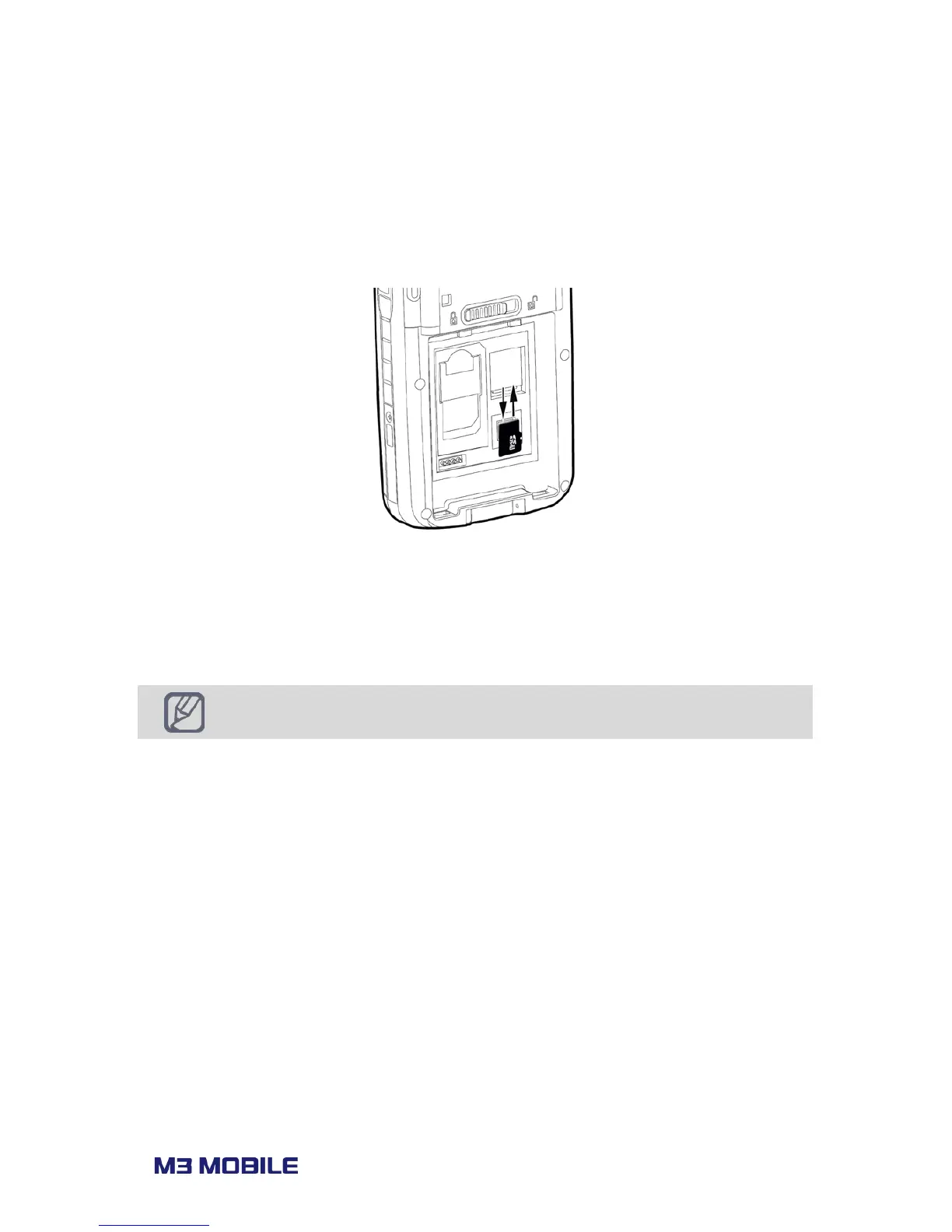
M3 BLACK uses MicroSD external memory card. The external memory slot will appear if
battery is removed as indicated in the following image:
To insert MicroSD, first slide up the MicroSD cover to release the SD slot if locked.
Pull up the SD cover to insert the MicroSD.
After placing the MicroSD, pull down the cover and slide down the cover to secure
the MicroSD card.



 To Next Page