29
3.5 Scanner
M3 BLACK provides 1D or 2D scanner as an optional module. Please contact your local
distributor for scanner options.
3.5.1 Scanner basics
M3 Mobile provides two types of scanner program:
1. ScanEmul Keyboard wedge application which sends barcode data.
2. ScanTest Used as scanner demonstration or quick tests.
When ScanEmul is running scanner icon ( ) will appear on task bar.
1. While ScanEmul is running, ScanTest cannot be used and vice versa.
2. Imager and Camera cannot run at the same time.
For detailed description of scanner application, please refer to Application Manual.
3.5.2 Scanner use
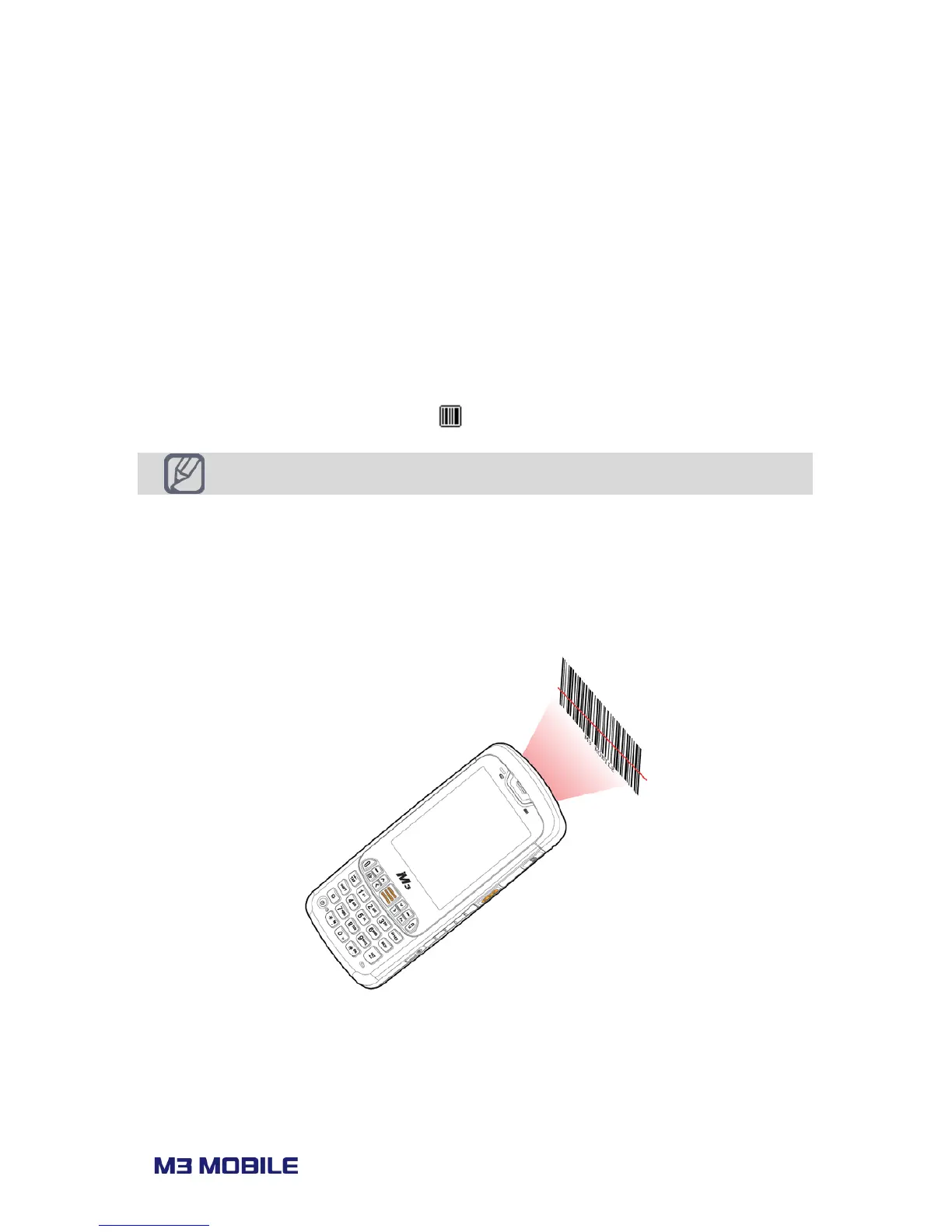
Press scanner button toward to barcode you want to read.
Make sure the laser beam covers whole barcode to read data properly.



 To Next Page