EasyManua.ls Logo

M3 Mobile BLACK - Data input

M3 Mobile BLACK
39 pages
Print Icon
To Next Page IconTo Next Page
To Previous Page IconTo Previous Page
Loading...
19
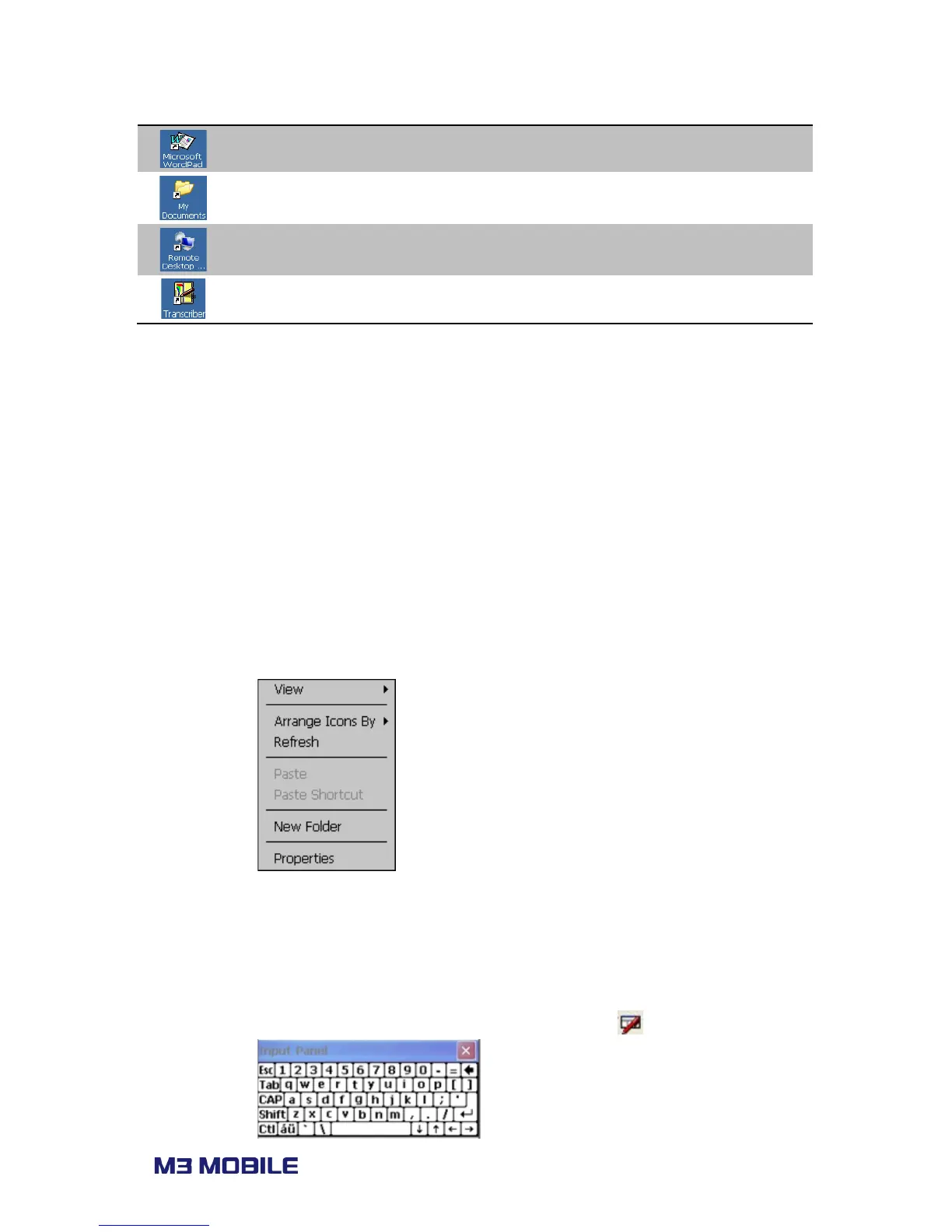
Microsoft WordPad Create WordPad file.
My Documents Store and show programs, files and data.
Remote Desktop
Connection
Process remote connection to desktop.
Transcriber Process transcriber.
2.4 Data input
2.4.1 Stylus pen
Select and execute Click on the target icon with stylus pen.
Selecting multiple items Drag over the items with stylus pen.
Menu popup Long press on the LCD
2.4.2 Keyboard
Physical keys Press the keypads on the device.
Soft input panel (SIP) Click on keyboard icon at the menu bar ( ).


Related product manuals