32
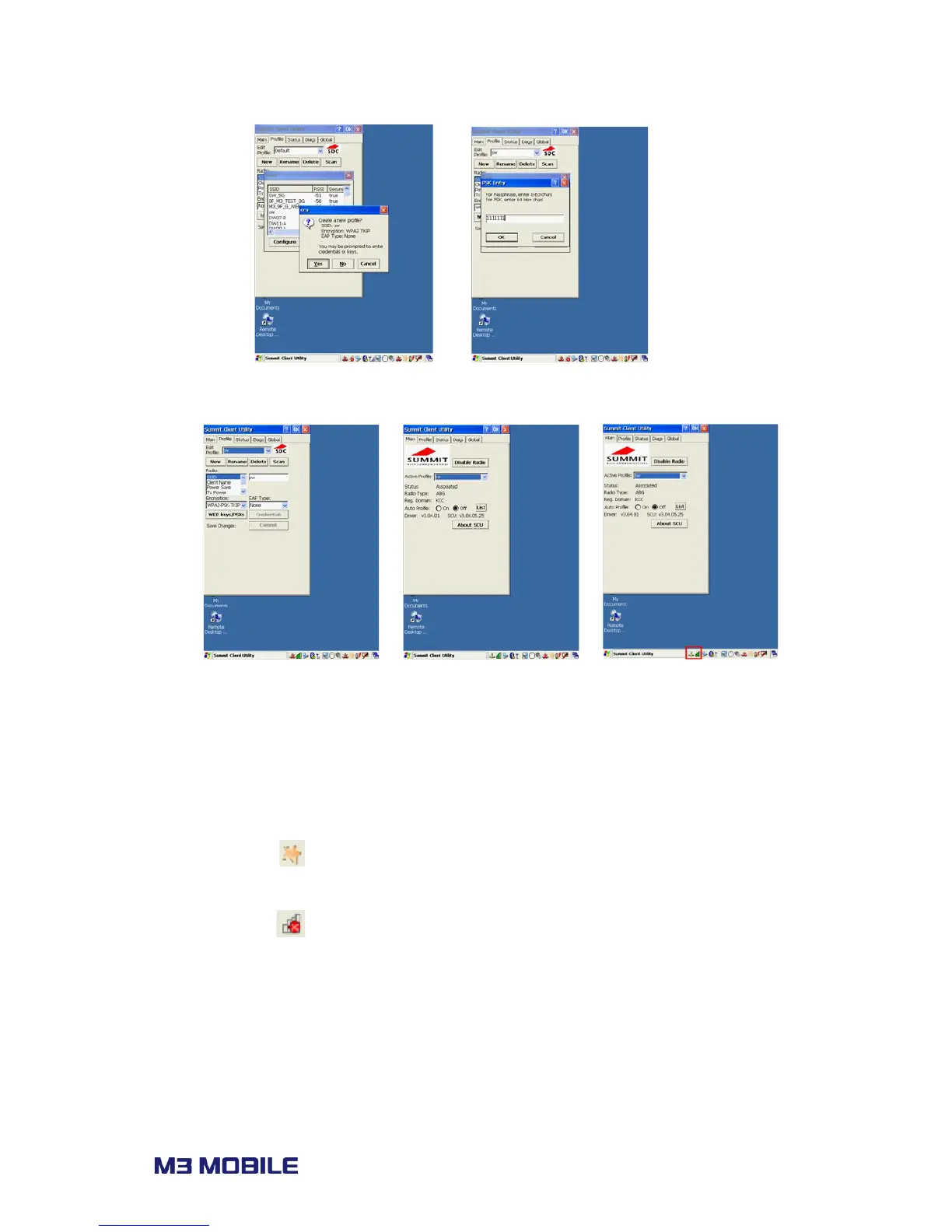
iii. Once a profile is created, click ‘Commit’ to save the profile and move to the main
tab to change the active profile.
iv. Check the connection status to ensure it is connected properly.
3.6.2 WLAN configuration (Laird 45N as of 2016 May)
How to connect
Press Quick Menu ( ) icon on menu/task bar, and then select Turn on WIFI/Turn off WIFI.
If WLAN is off, click on the icon and Select ‘Turn on WIFI’ to turn on WLAN module. Then,
WLAN status icon ( ) will appear on the menu/task bar. Click on the icon to launch Laird
Connection Manager (LCM).



 To Next Page