14
1.5 SIM card
1.5.1 Inserting SIM card
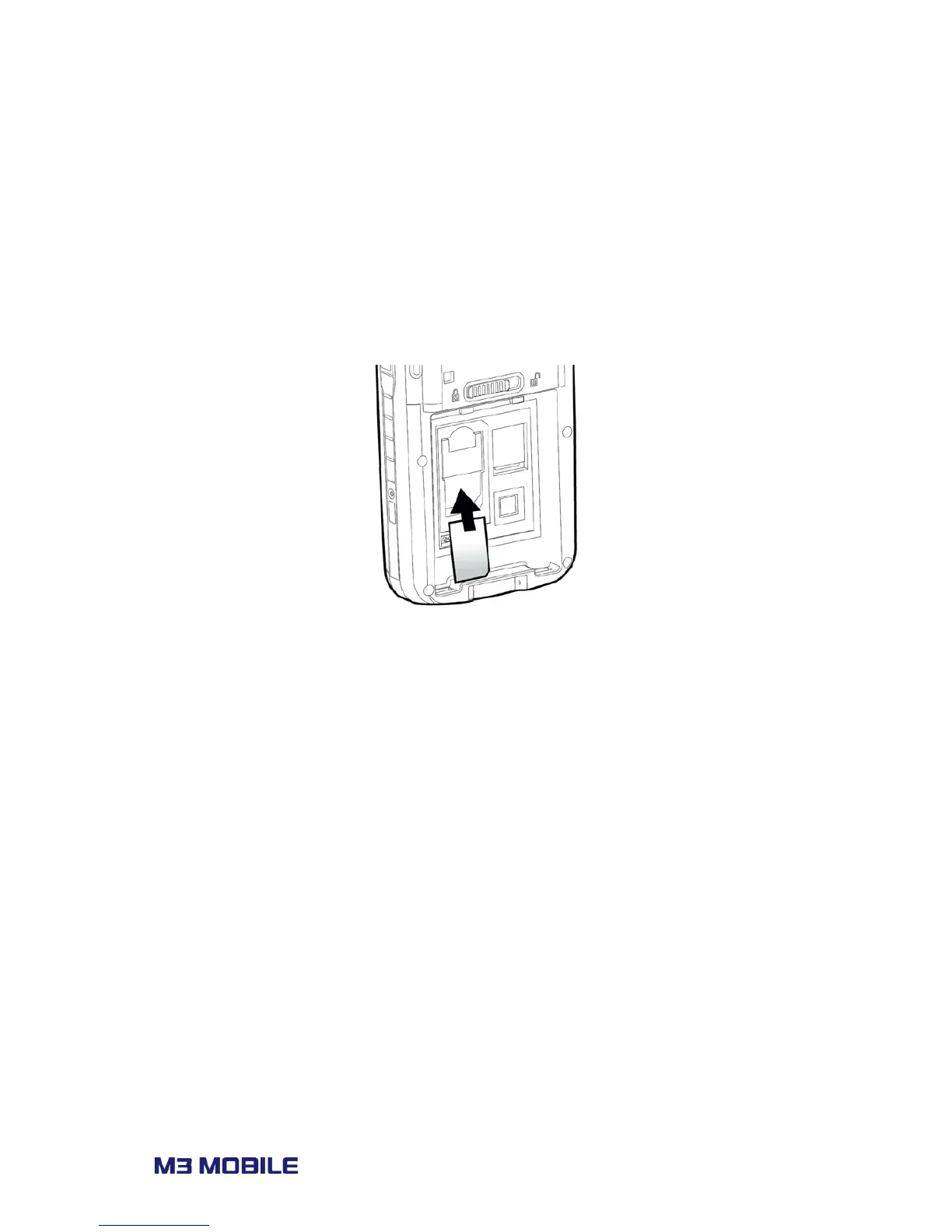
If the device is optioned with 3G network, SIM card slot is located under the battery socket.
The SIM must be authorized by the local network provider for voice or data communication
over the wireless network.
To insert the SIM card, remove the battery and slide in the SIM card to the proper position.
Please refer to section 3.4 Phone for more information on how to use the phone.



 To Next Page