24
3. Application usage
3.1 Bluetooth
3.1.1 Bluetooth configuration
Turning on
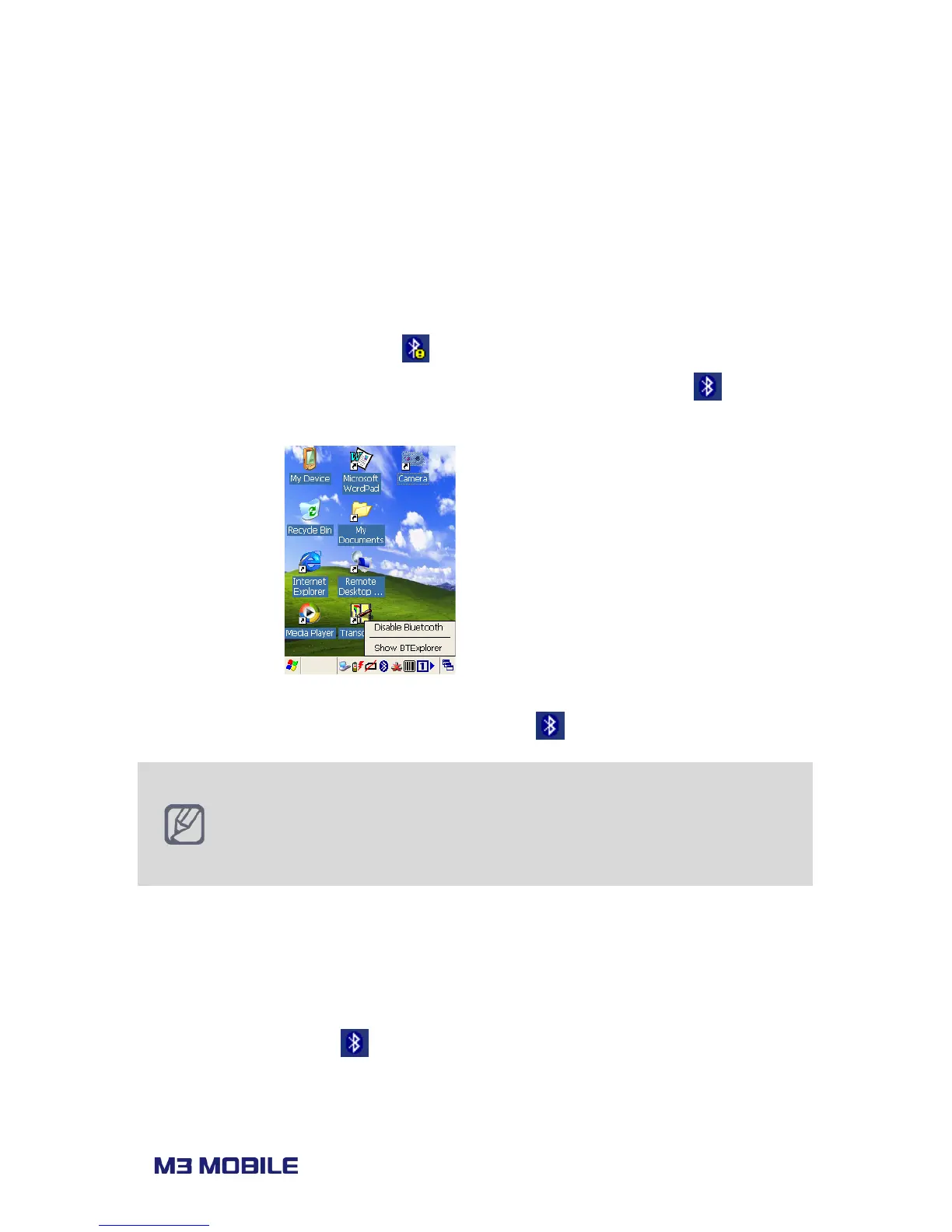
Click on Bluetooth icon on task bar (
) and choose ‘Enable Bluetooth’ to turn on the
Bluetooth module. Once the Bluetooth is on, the task bar icon will change to
to indicate
it is enabled.
To turn it off, simply disable the Bluetooth after click on
icon from task bar.
M3 BLACK can use two different Bluetooth stacks:
1. StoneStreetOne (default)
2. Microsoft
Bluetooth stack can be changed from
Start
BT Select
The device must go through power cycle after stack change.
3.1.2 Getting connected
Set Bluetooth Connection
Bluetooth connections can be configured using BTExplorer. To launch BTExplorer, click on
Bluetooth icon on task bar (
) and choose ‘Show BTExplorer’.



 To Next Page