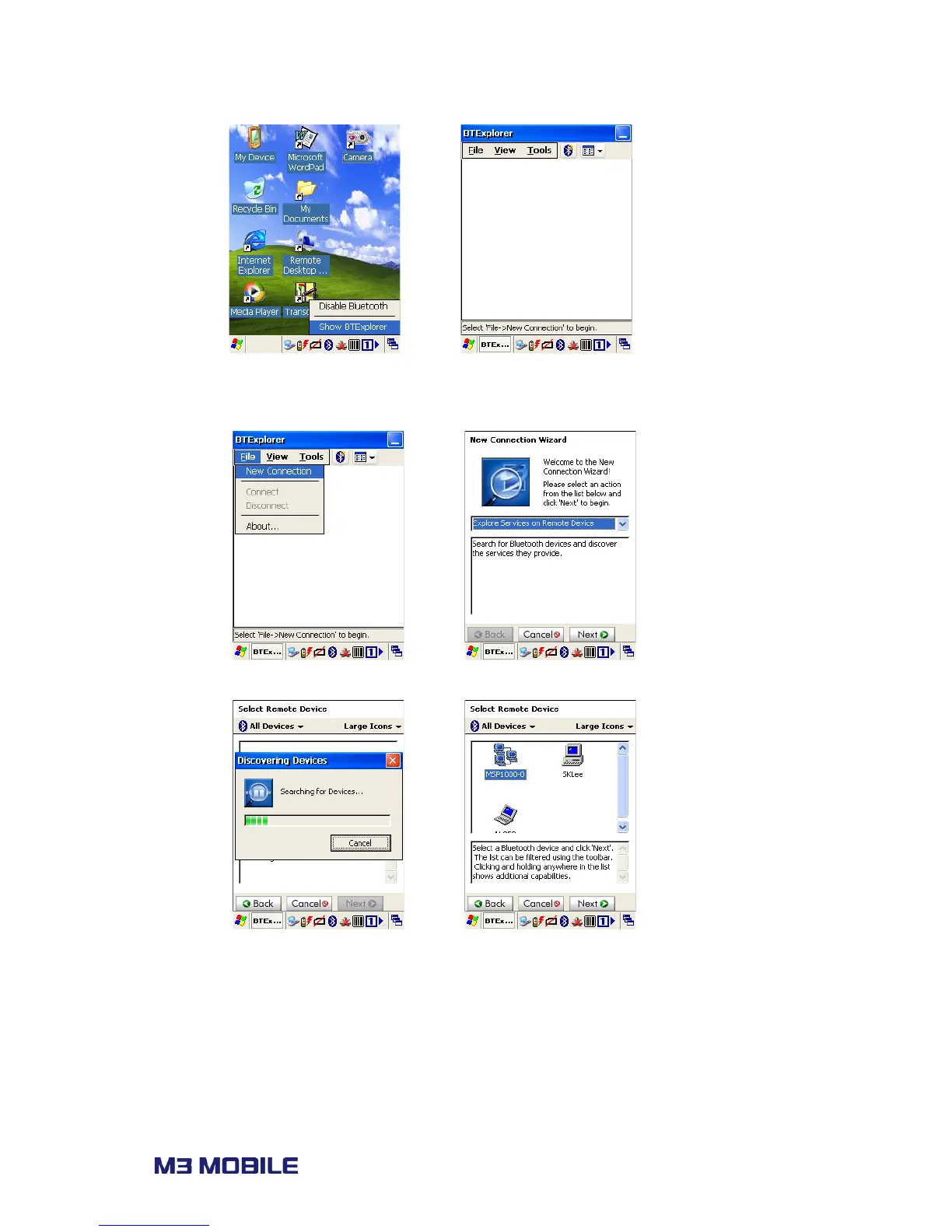
New Connection to search for connectable devices.
2. Choose the service willing to be connected and click ‘Next’ to go to next step.
3. Choose on device willing to be connected, and click ‘Next’ to proceed.
4. When ‘PIN Code Request’ pops up, enter pin code which is identical with paired
device, and follow the dialog to finish Bluetooth pairing.



 To Next Page