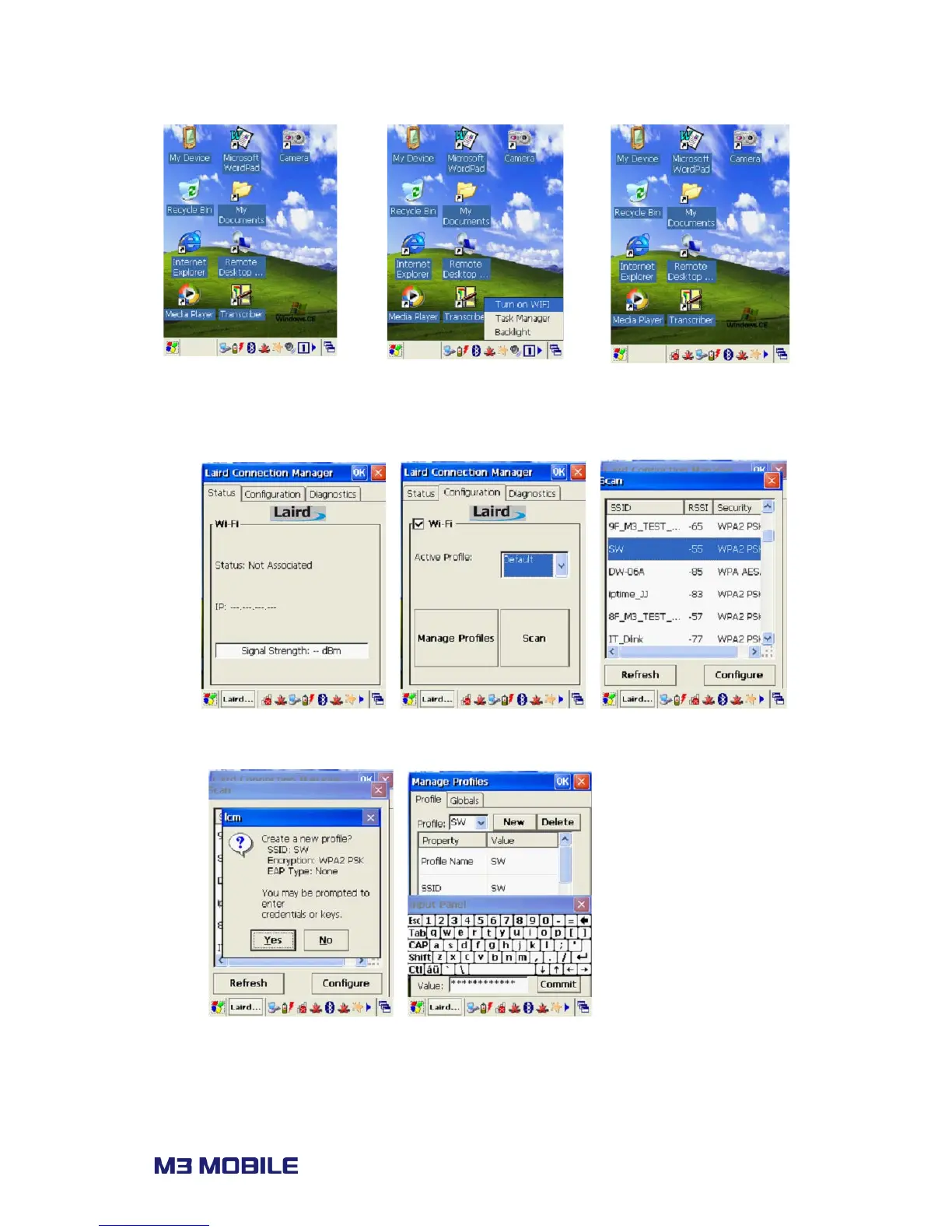
To connect to an AP, follow steps below.
v. Choose ‘Scan’ from ‘Profile’ tab of SCU.
vi. From the AP list, click on the target SSID and Configure to access. Enter secure codes
if applicable.
vii. Once a profile is created, click ‘Commit’ to save the profile and move to the main
tab to change the active profile.



 To Next Page