46
Unit installation and configuration/Unit information
Unit information
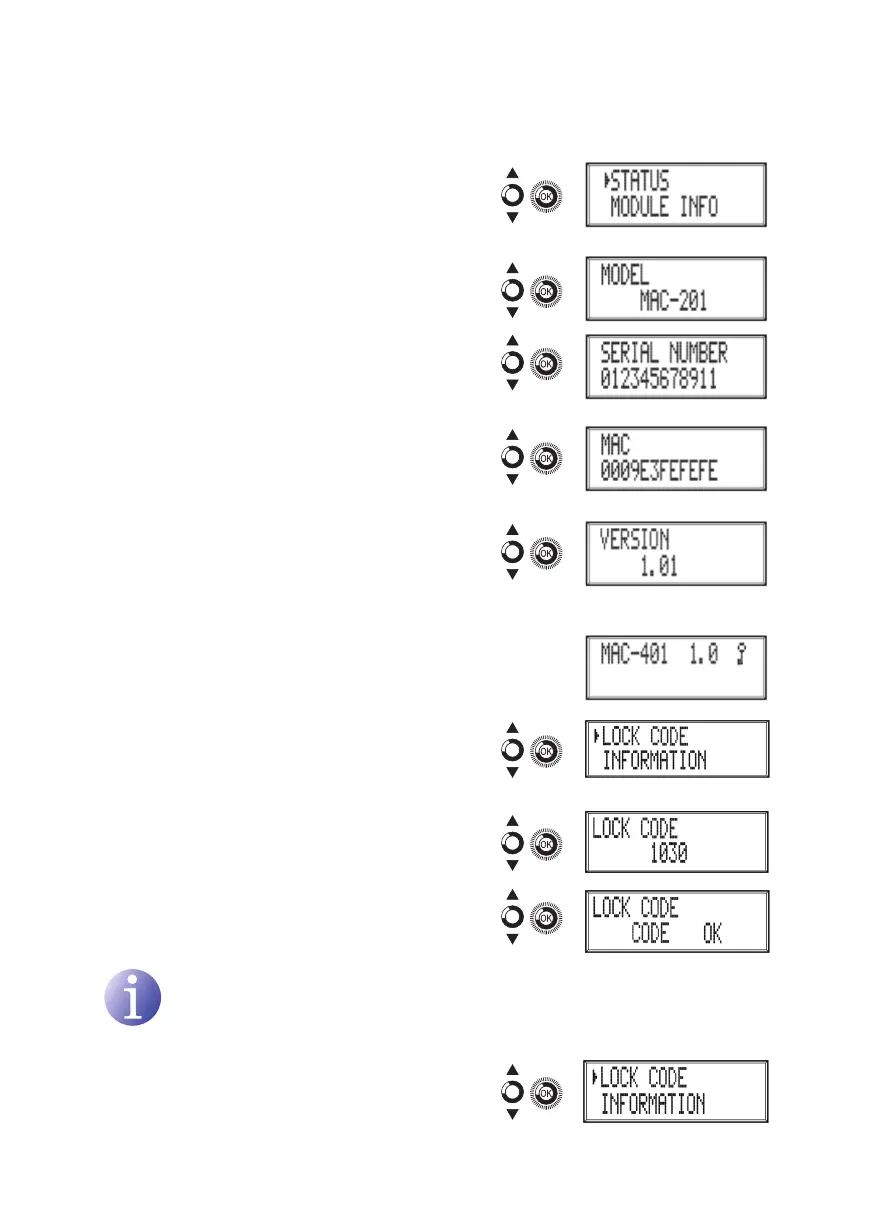
1) Locate and indicate the option mODULE
INFO.
a) Locate and indicate the option mODEL.
The unit displays its model and version.
b) Locate and indicate the option SERIAL
NUmBER. The unit displays its serial
number.
c) Locate and indicate the option mAC. The
unit displays its MAC address.
d) Locate and indicate the option vERSION.
The unit displays its software version.
Unblocking the unit
The unit can be blocked from the web interface
preventing the user operating the display and the
control button to modify the conguration.
To unblock the unit:
1) Locate and select BLOCkING CODE.
2) Enter the unblocking code assigned by the unit
operator through the web interface.
3) The unit displays the validity of the code.
NOTE
The unit will remain unblocked until it is restarted or the operator deactivates the
block from the web interface.
To unblock the unit without the blocking code:
1) Locate and select INFORmATION.



 To Next Page