39
Unit installation and configuration/Main menu
Main menu
NOTE
Over the following pages, the eld locating and selection method is primarily
indicated by the “vertical button movement” and “press button” icons. However,
horizontal button movement can be used to locate and select elds, as indicated
in the General use of the unit.
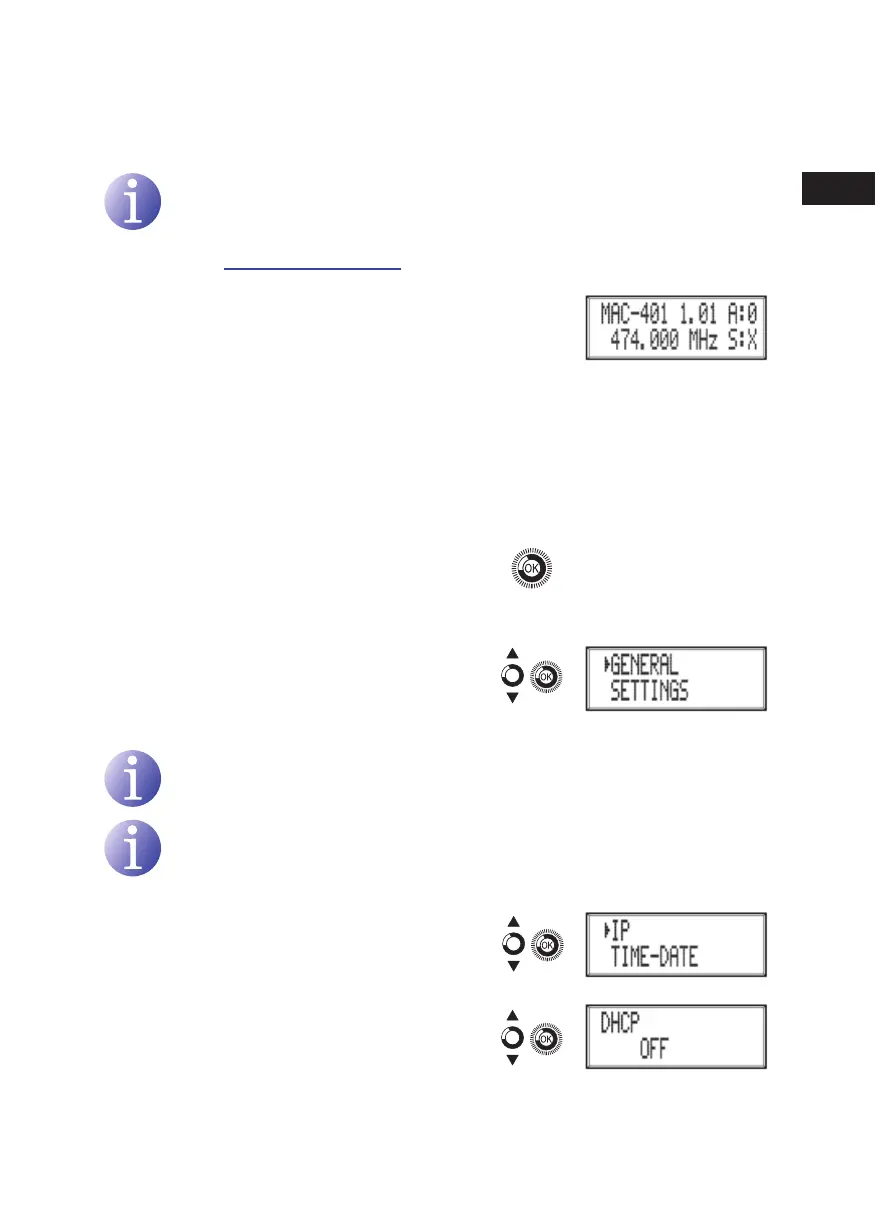
1) After switching on the unit the initial display ap-
pears informing of the model, rmware version,
output frequency and information on alarms and
status:
F
Alarms:
Ì
A:0 = no alarms
Ì
A:X = alarms present
F
Status:
Ì
S:X = status correct
Ì
S:0 = status incorrect
2) Press the control button to access the main
menu.
General Settings
1) In the main menu, locate and select
GENERAL.
IP configuration
NOTE
The IP conguration affects the Ethernet interface.
NOTE
To introduce a sequence of digits in the display move the control button vertically
to change the value of the current digit and horizontally to move between digits.
1) Locate and select the option IP.
a) Locate and select the option DHCP to
activate (ON) or deactivate (OFF) dynamic
IP assigning. If this is deactivated, a static
IP must be congured.
en



 To Next Page