UNLOADING AND ASSEMBLY
Form 169007 13 Revision D
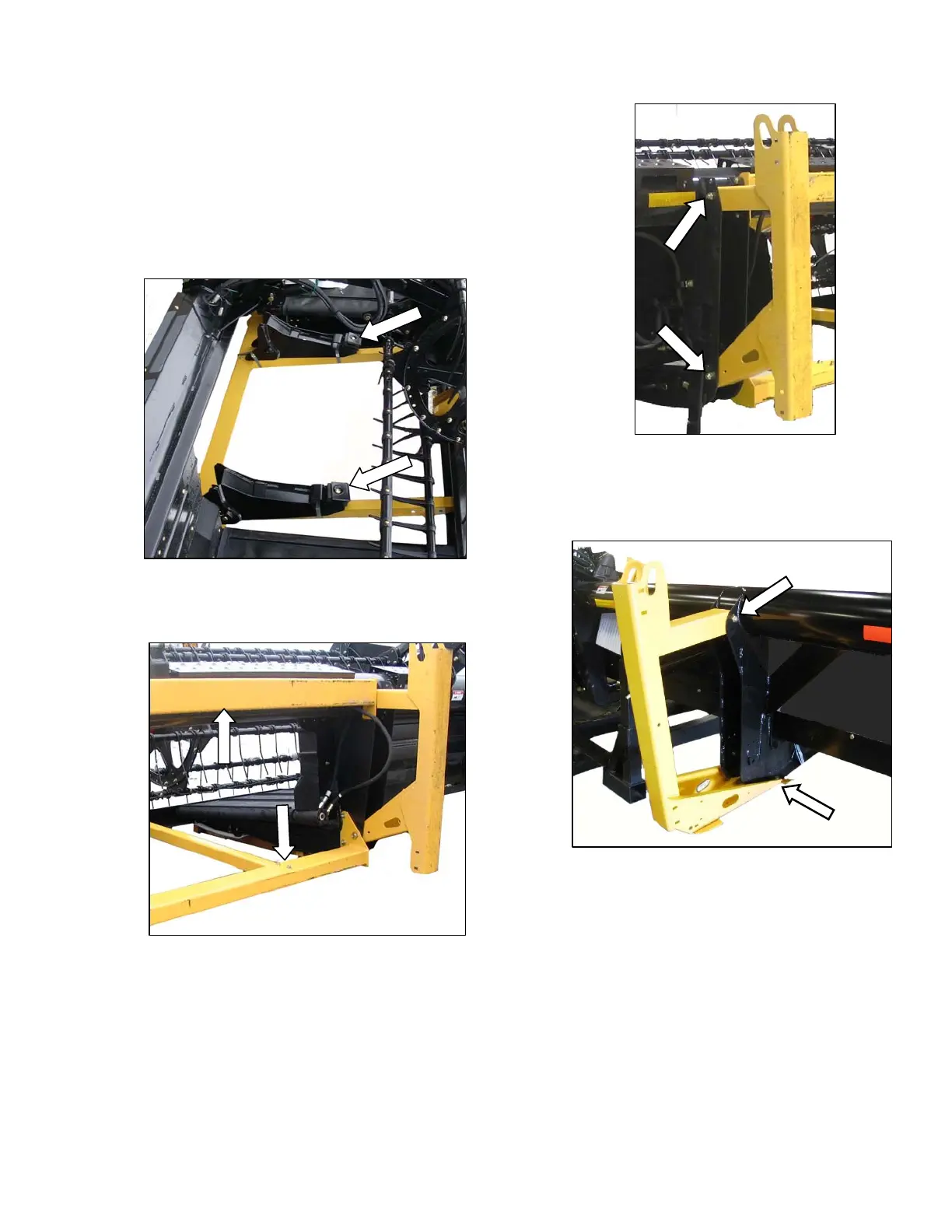
STEP 3. REMOVE SHIPPING
SUPPORTS
The removable supports are painted yellow.
NOTE
Unless otherwise specified, discard
supports, and all shipping material and
hardware.
a. Cut straps, and remove header boots from
shipping support. Set boots aside for later
installation.
b. Remove six bolts securing lower support to
header legs, and remove support.
c. Remove four bolts securing upper support to
header legs, and remove support.
d. Remove two bolts on each center leg shipping
support, and remove stands.
e. If outer leg shipping supports are installed, remove
as follows:
1. Remove two bolts attaching stand to the leg
under the header.
2. Remove pin at top of stand, and remove
stand.
(continued next page)



 To Next Page