UNLOADING AND ASSEMBLY
Form 169007 30 Revision D
STEP 12. INSTALL HEADER
ENDSHIELDS
Single knife headers are fitted with a hinged
endshield on the LH end of the header for easy
access to the header drive. The RH end is not
hinged, but is still removable.
Double knife headers are fitted with hinged
endshields on both ends of the header.
A. HINGED ENDSHIELD
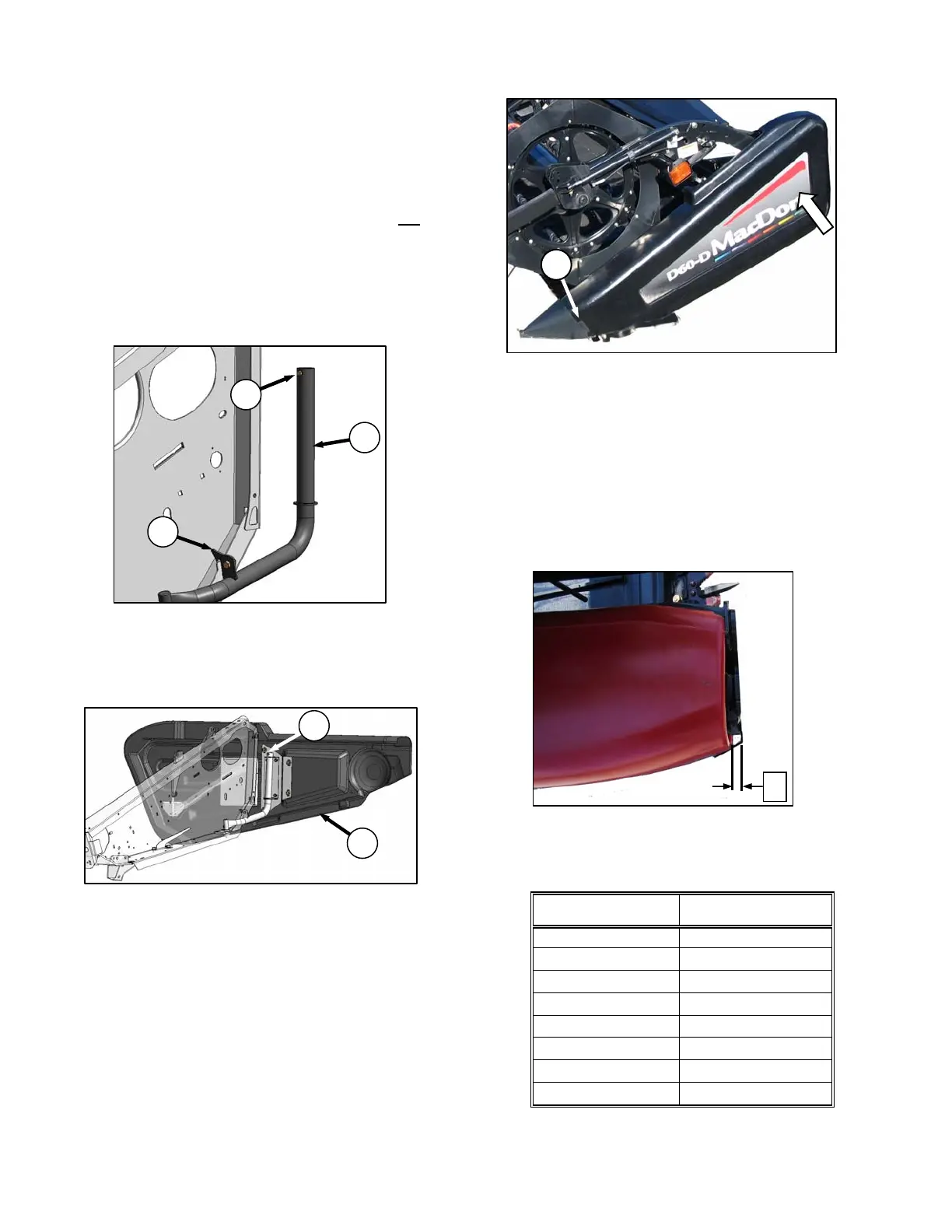
a. Remove shipping wire from endshield support (A),
and swivel support away from endsheet toward
the back of the header until it latches (B).
b. Retrieve plastic endshields.
c. Remove screw (C) at top of support.
d. Install endshield (D) onto support tube, and
re-install screw (C).
e. To close shield, lift latch (B), and swing shield
forward until the front engages crop divider (E).
f. Push in shield where shown (opposite latch) and
shield will self-latch.
NOTE
Plastic endshields are subject to
expansion or contraction depending on
large temperature variations. Latch pin
can be adjusted to compensate for
dimensional changes.
g. The endshield should fit snugly onto the endsheet.
Check gap ‘X’ between the front end of the shield
and header frame, and compare measurement
with values in the chart below.
TEMPERATURE
Degrees ˚F (˚C)
GAP ‘X’
in. (mm)
25 (- 4) 1.1 (28)
45 (7) 1.0 (24)
65 (18) 0.79 (20)
85 (29) 0.64 (16)
105 (41) 0.5 (12)
125 (52) 0.32 (8)
145 (63) 0.16 (4)
165 (89) 0
(continued next page)
E
A
B
C
C
D



 To Next Page