UNLOADING AND ASSEMBLY
Form 169007 26 Revision D
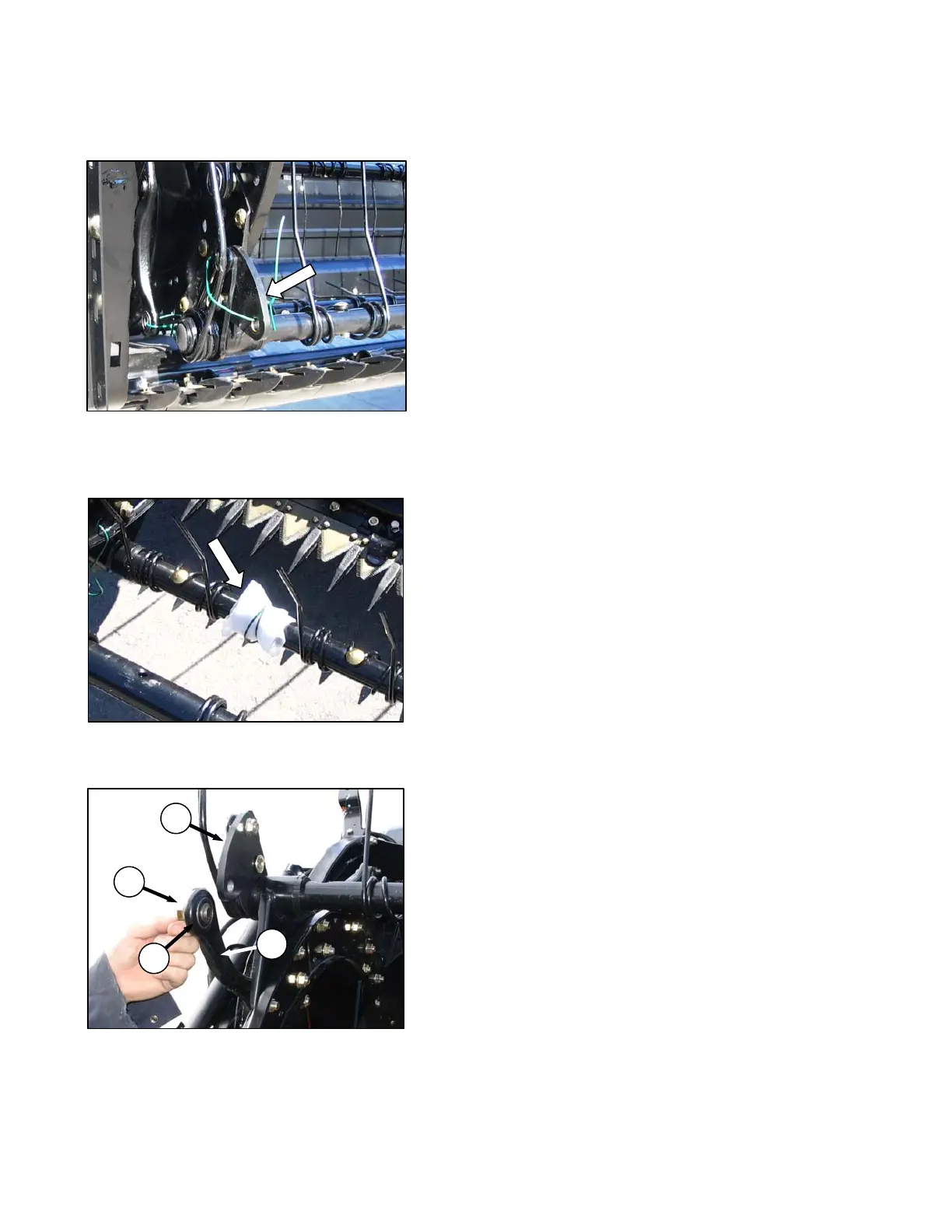
STEP 9. ATTACH CAM ARMS
a. Manually rotate reel until the tine bars with the
disconnected cam links are accessible.
b. Remove shipping wire (if not already removed).
c. Remove bag of hardware from tine bar. It
contains hardware for cam links and endshields.
d. Rotate tine bar crank (A), and position link (B) until
attachment holes in bar crank and link are
approximately aligned.
e. Install bolt (C) in link, and position shim (D)
(5/8 in. ID lockwasher on D50) on bolt so that shim
is between link and tine bar crank.
NOTE
Bolts are pre-coated with Loctite® so no
further locking method is required.
f. Re-align link and tine bar crank, and thread in the
bolt (C).
g. Repeat for remaining tine bars, and torque bolts to
120 ft·lbf (165 N·m).
A
B
C
D



 To Next Page