26
d.4 Pro DJ Production Console
d.4 Pro 4-channel DJ Production Console
Appendix E: FireWire
System Requirements
These are the minimum requirements for your com-
puter system to use the d.4 Pro FireWire interface.
For the PC:
• WindowsXP(servicepack2)
• Pentium4orAthlonXPprocessor
• 256MBRAM
For the Mac:
• OSX(10.3.9orhigher)
• G4processor
• 256MBRAM
The internal FireWire interface will:
• Allowmultiplestreamsofdigitalaudiotobe
sent bi-directionally between the d.4 Pro and a
Mac or PC computer.
• Withallofthestreamingchoicesavailable,it
is possible to make a true multitrack record-
ing of ALL the different inputs coming into the
mixer’s channels, as well as any audio coming
into either of the mic inputs, and keep all of it
separate for a later mixdown. In addition, with
the aux and main outputs also going to their
own tracks, you can have a completed main or
alternate mix go to the computer, ready for CD
burning or conversion to MP3s.
• SendMIDIcontinuouscontrollerandnote-on
messages to the host computer from the cross-
fader.
To Computer From
Input 1 PGM 1 L (Line/Phono, or Post-EQ)
Input 2 PGM 1 R (Line/Phono, or Post-EQ)
Input 3 PGM 2 L (Line/Phono, or Post-EQ)
Input 4 PGM 2 R (Line/Phono, or Post-EQ)
Input 5 PGM 3 L (Line/Phono, or Post-EQ)
Input6 PGM 3 R (Line/Phono, or Post-EQ)
Input 7 PGM 4 L (Line/Phono, or Post-EQ)
Input8 PGM 4 R (Line/Phono, or Post-EQ)
Input9 MIC 1
Input 10 MIC 2
Input 11 AUXSendL
Input 12 AUXSendR
Input 13 MAIN Out L
Input 14 MAIN Out R
FireWire stream to computer
The following table shows the outputs to your com-
puter from the FireWire interface inside the d.4 Pro:
Each channel of analog audio from the d.4 Pro is
converted to digital signals by the FireWire interface’s
splendid A/D converters. (The block diagram on page 24
shows the location of the FireWire inputs and outputs.)
Program channel outputs
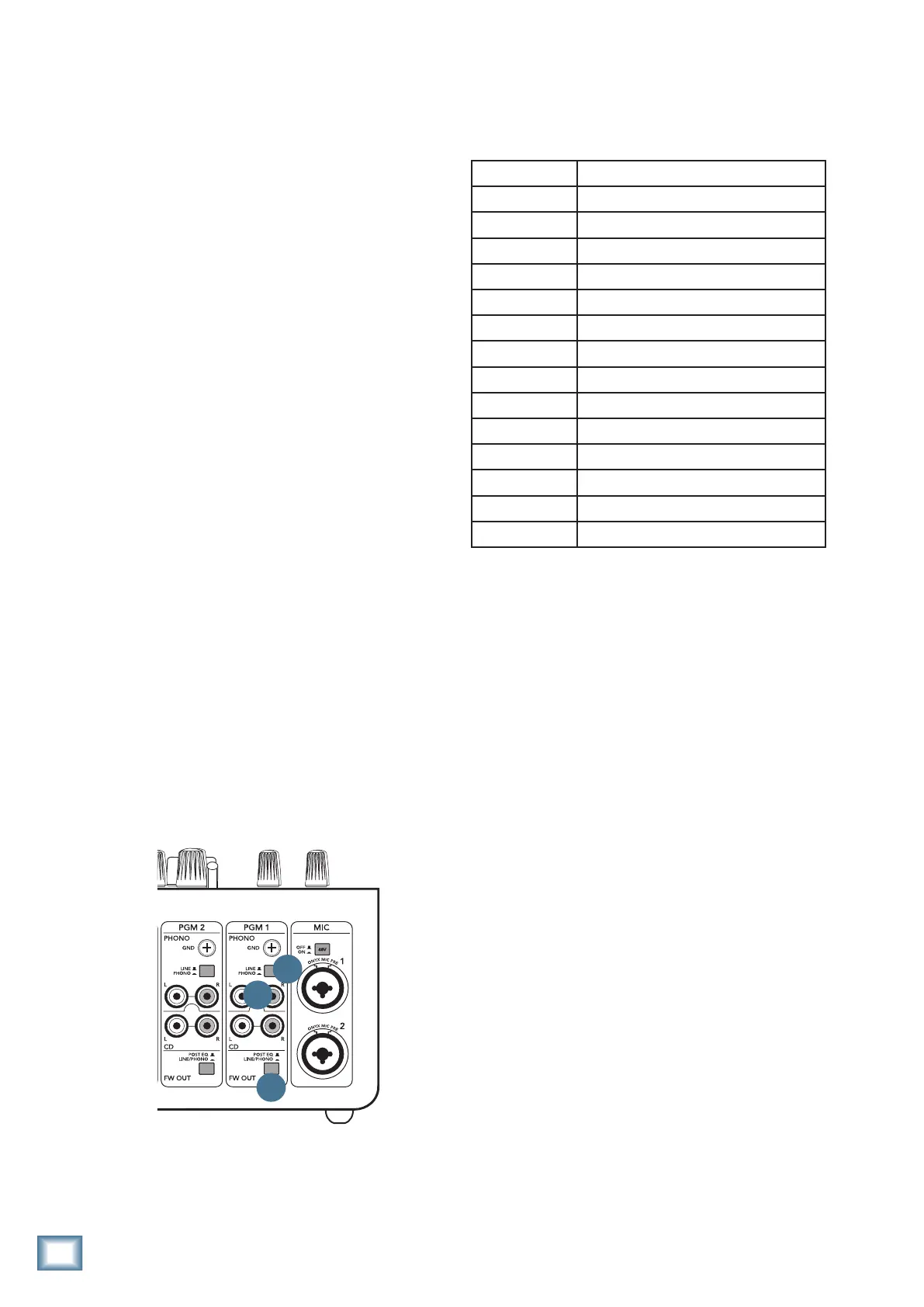
For the program channels, the point where the
FireWire is tapped off, varies with the position of the FW
out switch [7]. Refer to figure 1 opposite.
If an FW out switch is in the post-EQ position (out),
the computer receives the stereo program pair, post-
EQ, and pre-fader. This is a good position to record your
vinyl onto the computer, as the levels and EQ can be
adjusted for optimal recording levels. The source switch
[30] affects what is playing the program channel and
the FireWire output.
If an FW out switch is in the line/phono position (in),
the computer receives the stereo program pair, pre-EQ,
and pre-fader, independent of the position of the pro-
gram source switch [30].
Figure 1 on the next page shows a partial block
diagram of the signal flow when the switches are set like
this:
• FWOutsettoline/phono
• Line/Phonoswitchsettophono
• SourceSwitchsettoFireWire
With the switches set this way, the RIAA phono
preamplierstagere-equalizesandbooststhephono-
level signals to line-level, and the routing through the
4
5
7


 To Next Page