25
Owner’s Manual
Owner’s Manual
Appendix D:
Crossfader
Replacement
The crossfader is designed to give you many years
of use, but in the event of a problem (or many years of
use) we have made it very easy to replace.
Tools and qualifications
To replace the crossfader, you will need a small
phillips screwdriver, nerves of steel, grit, determination,
and a steady hand. (This is not a good day to give up
coffee.)
Procedure
1. Turn off the d.4 Pro, and remove the power
cord, and any other cords or cables connected
to the d.4 Pro.
2. Gently place the d.4 Pro face upwards on a
flat, clean and dry surface, such as the kitchen
table.
3. Remove the crossfader knob, by gently pulling
it upwards. Keep it safe.
4. Take care to only remove the two outer screws
of the crossfader.
5. Gently lift up the crossfader assembly, just
enough to be able to pull the connector out of
the receptacle on the bottom of the assembly.
6. Inserttheconnectorintothereceptacleonthe
new crossfader assembly. (It will only fit in one
way.)
7. Secure the crossfader assembly to the chassis
with the two screws you lost in step 4.
8. Checkthatthecrossfaderisworkingnormally.
9. Youmighthavetoresetthetension,asshown
on page 17.
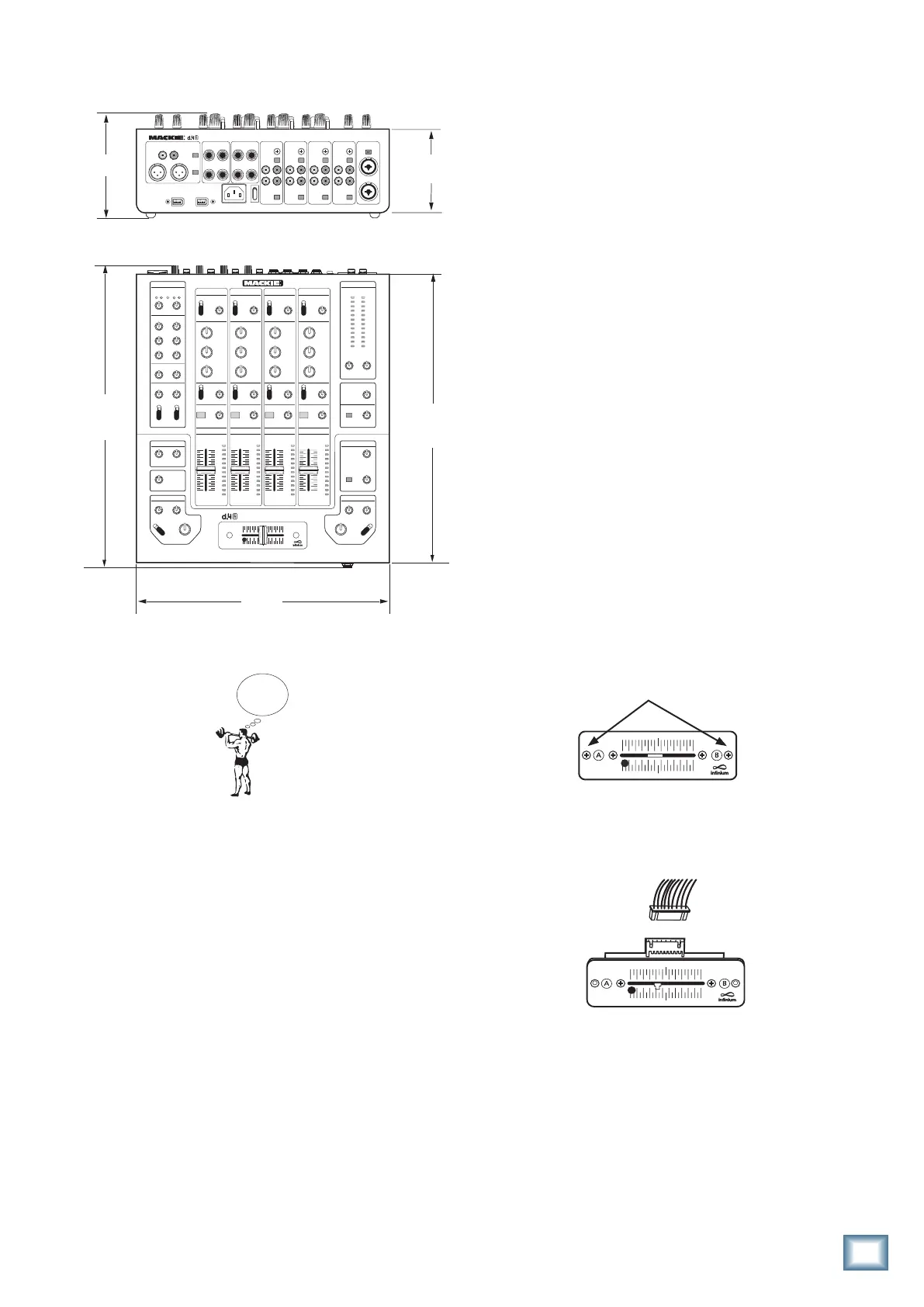
CUE CUE CUE CUE
WEIGHT
13.5 lb
6.1 kg
12.36 in/
314 mm
14.09 in/
358 mm
14.77 in/
375 mm
4.09 in/
104 mm
4.62 in/
117 mm
Dimensions


 To Next Page