136 Chapter 6: Vector Shapes
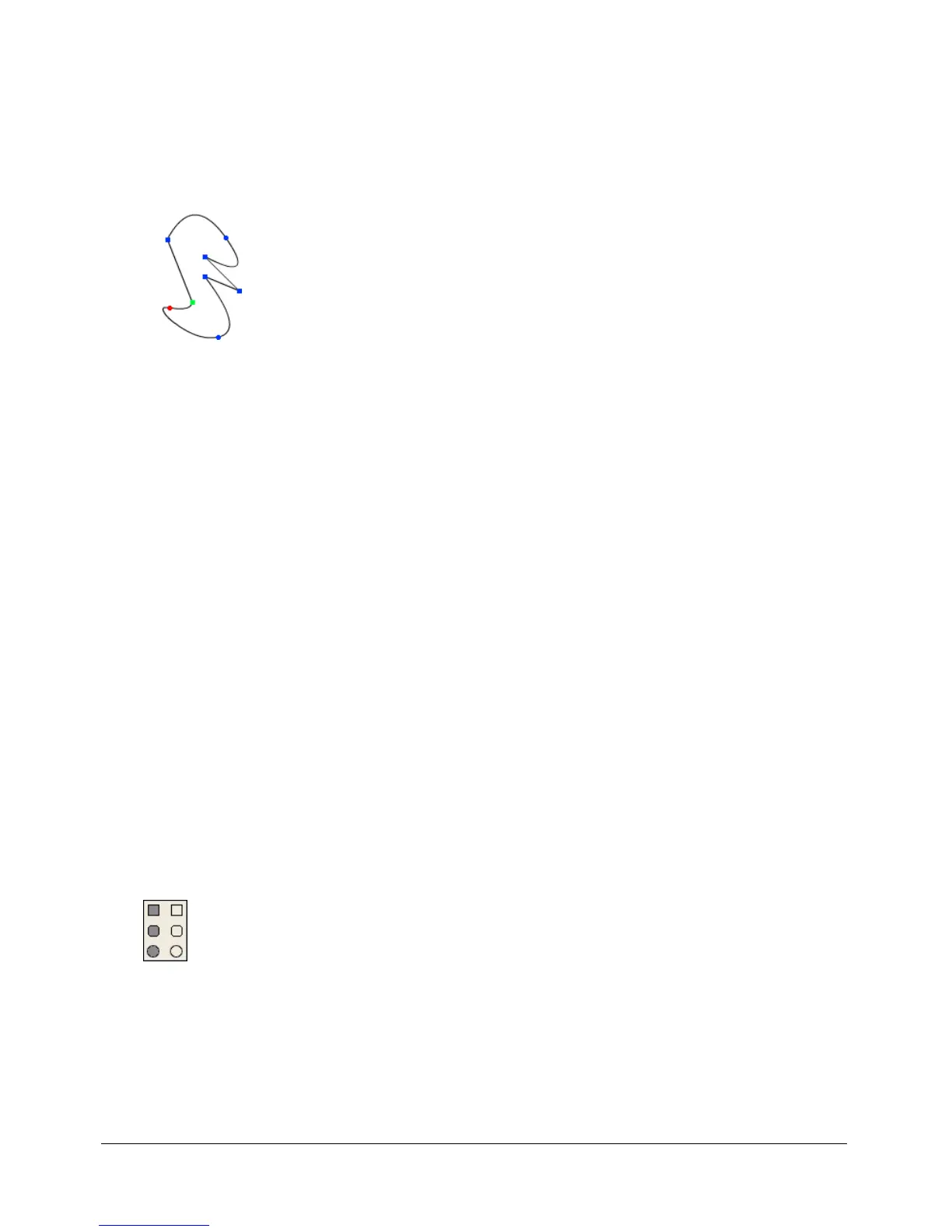
• The first vertex in a curve is green.
• The last vertex in a curve is red.
• All other vertices are blue.
• Unselected vertices are solid.
• Selected vertices are unfilled.
To open the Vector Shape window:
• Select Window > Vector Shape.
Zooming in and out in the Vector Shape window
You can use the Magnify tool or the Zoom commands on the View menu to zoom in or out at
four levels of magnification.
To zoom in or out, do one of the following:
• Select View > Zoom and then select the level of magnification.
• Right-click (Windows) or Control-click (Macintosh) and select Zoom In or Zoom Out from
the context menu.
• Press Control + the Plus (+) key (Windows) or Command + the Plus (+) key (Macintosh) to
zoom in, or Control + the Minus (-) key (Windows) or Command + the Minus (-) key
(Macintosh) to zoom out.
To return to normal view:
• Select View > Zoom > 100%.
Using vector shape drawing tools
You use the tools in the Vector Shape window to draw free-form shapes or geometric figures.
You can define a shape with the Pen tool by creating curve or corner points through which a
line passes.
To draw regular shapes, you use the Rectangle, Rounded Rectangle, and Ellipse tools.


 To Next Page
 Loading...